0.4 beta

A voice studio that runs on your Mac

Speech, voices, stories, audiobooks, dubbing, transcription and dictation on Apple silicon. No account, no cloud, no Python. Free and open source.

  • Every model on your Mac's GPU, offline once downloaded
  • About 1,200 voices, plus your own clones and designs
  • Free and open source (AGPL-3.0)
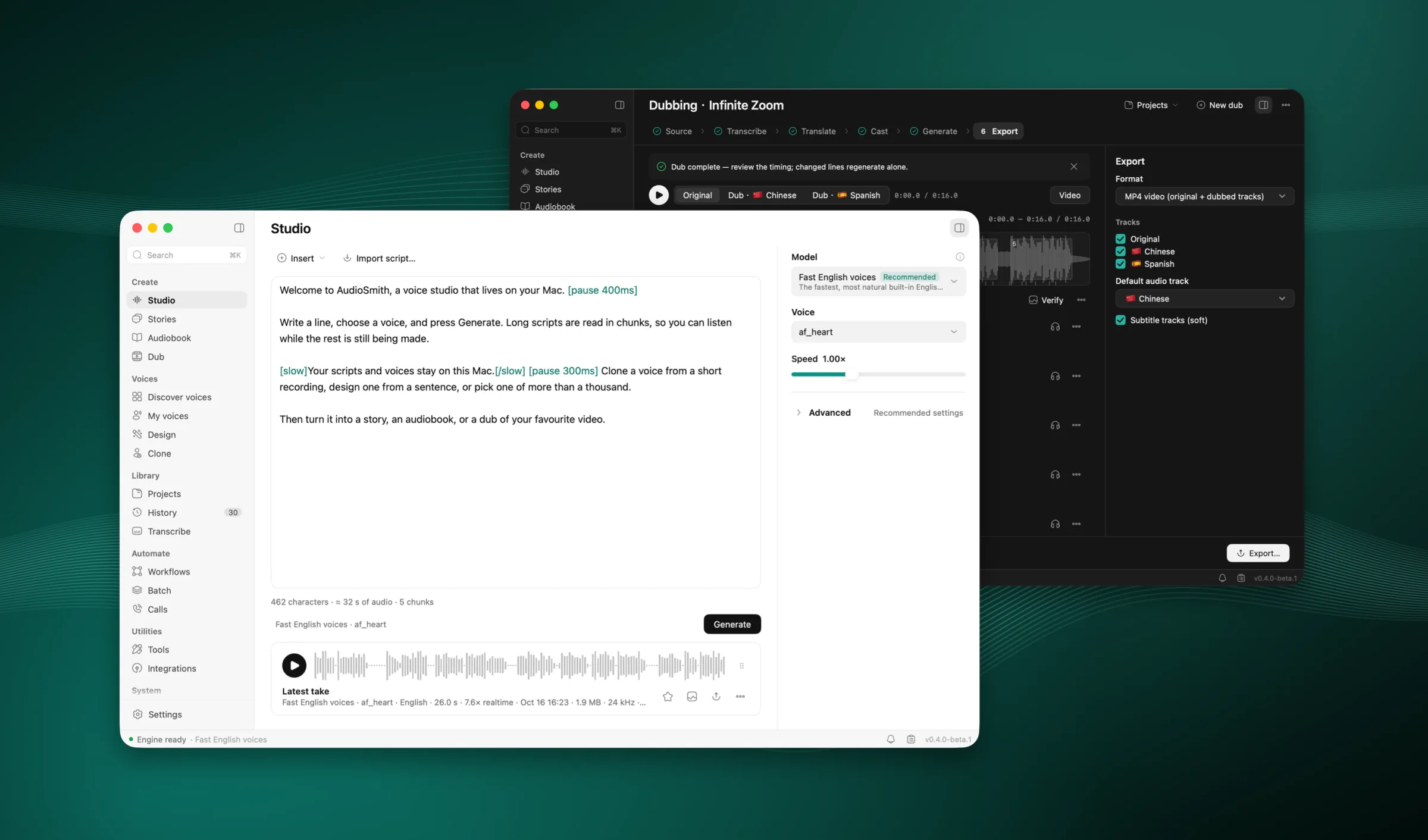
AudioSmith's Studio window: a script, the model and voice, and a finished take

0.2–0.3 s

from your last word to text, with dictation

MacBook Air M4, 24 GB

~1,200

ready-made voices to preview

4 min

for a 10-minute recording, with speakers

MacBook Air M4, 24 GB

33

MCP tools for your agents

Features

A voice studio that runs on your Mac

Studio

Write it, hear it, export it

Write or import a script (TXT, MD, DOCX, EPUB, SRT, VTT), pick a model by what it is for and a voice, and generate. Markup adds pauses, pace, emphasis and pronunciations.

  • Long scripts render in chunks and play while they render
  • Export WAV or M4A, and MP3, FLAC or Opus with ffmpeg, evened out to −16, −18 or −23 LUFS

Generating a take in the Studio

Voices


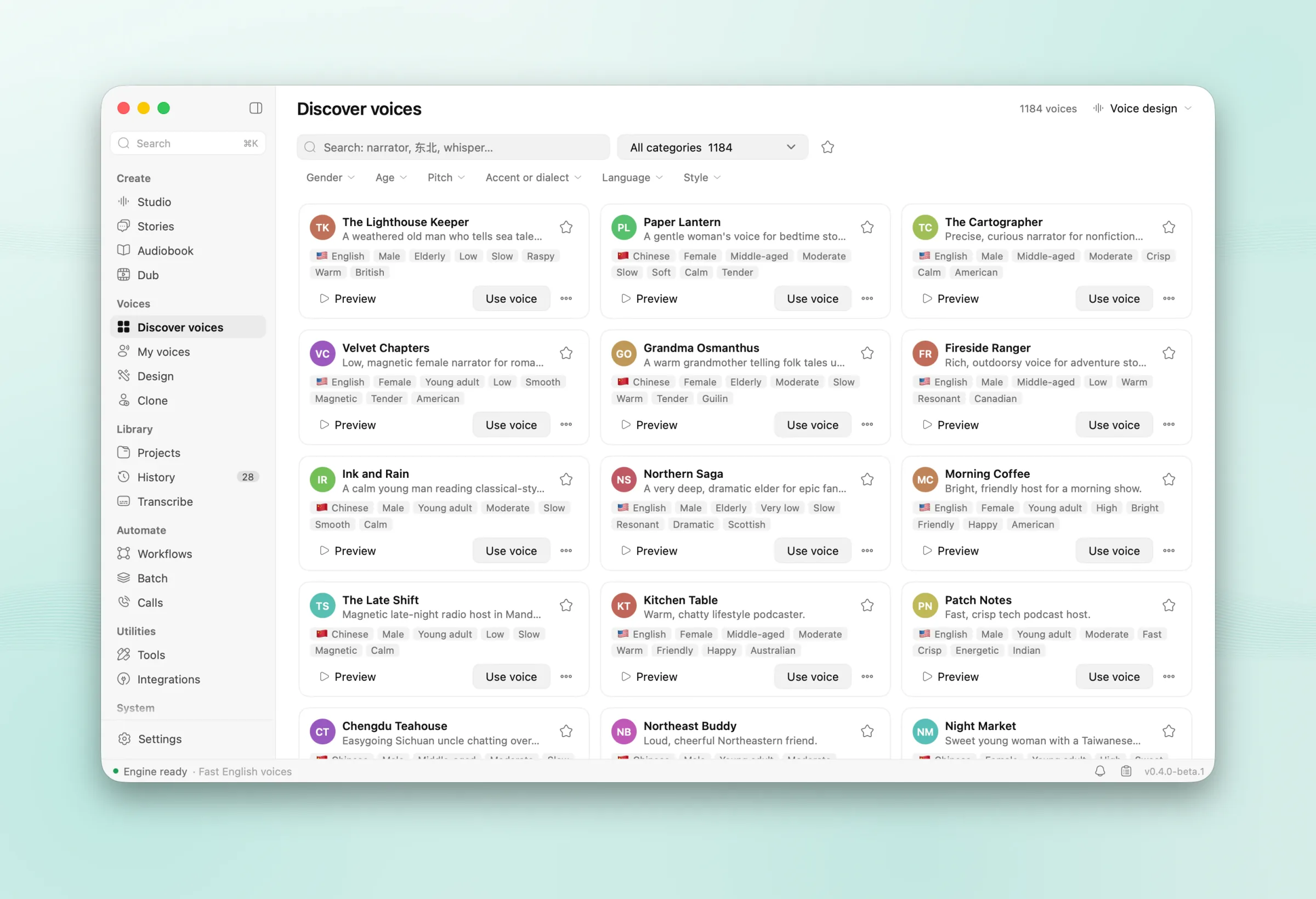
Discover, clone or design a voice

Preview about 1,200 ready-made voices, clone one from a recording or any audio or video, or describe one in a sentence: "a warm narrator in her thirties, calm and clear".

  • Cloning picks the best stretch, transcribes it and removes the noise
  • A recorded consent statement marks a voice as your own
  • Voices are .asvoice files you can share
Designing a voice: the description is read into gender, age and style as you type

Stories

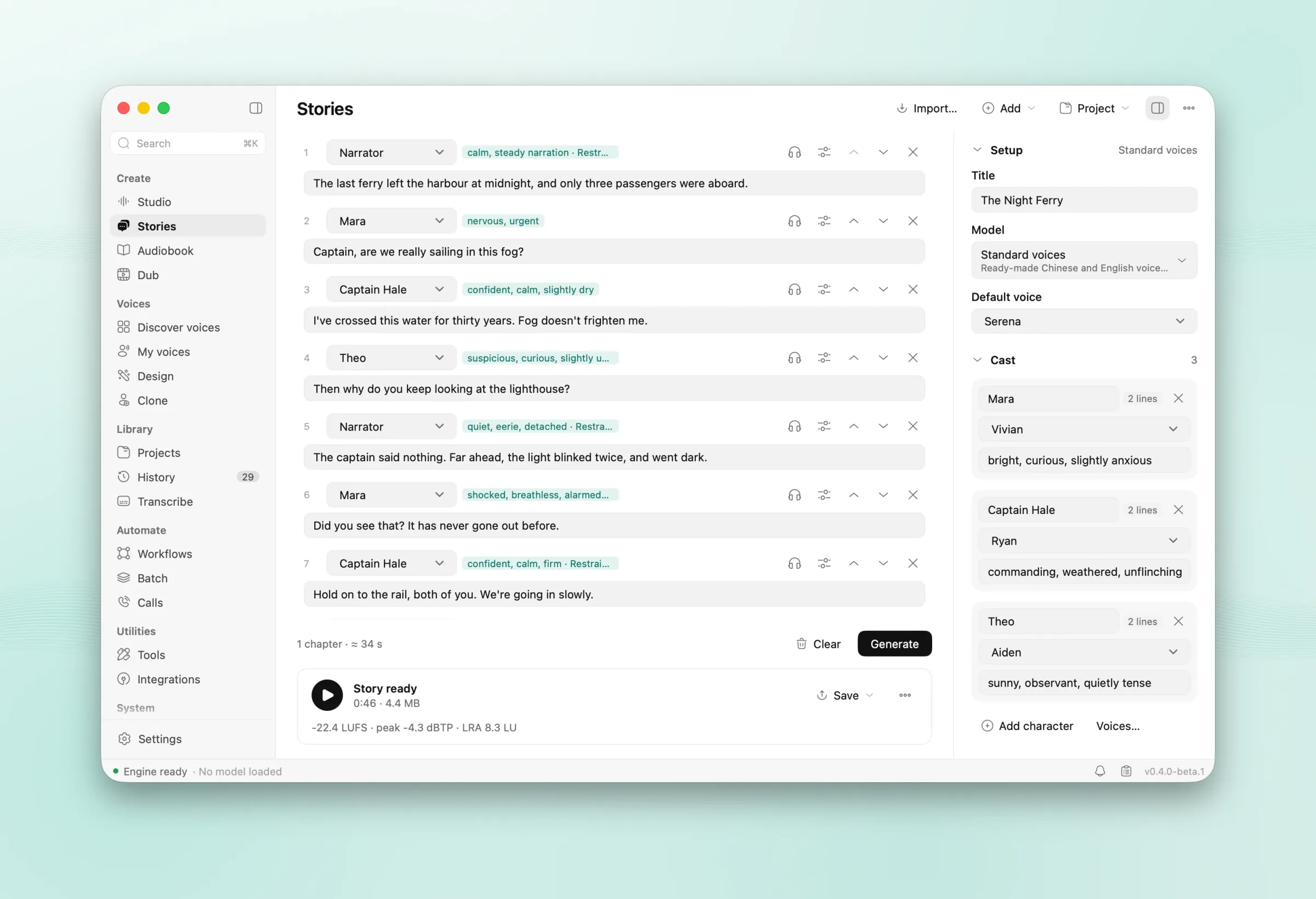
Give a story its cast

Write Name: line and AudioSmith casts the characters. Stage directions become how a line is said, the pauses follow the conversation, and an AI director on your Mac fills in the scene, personas and directions.

A story with its cast, scene and line directions

Audiobook

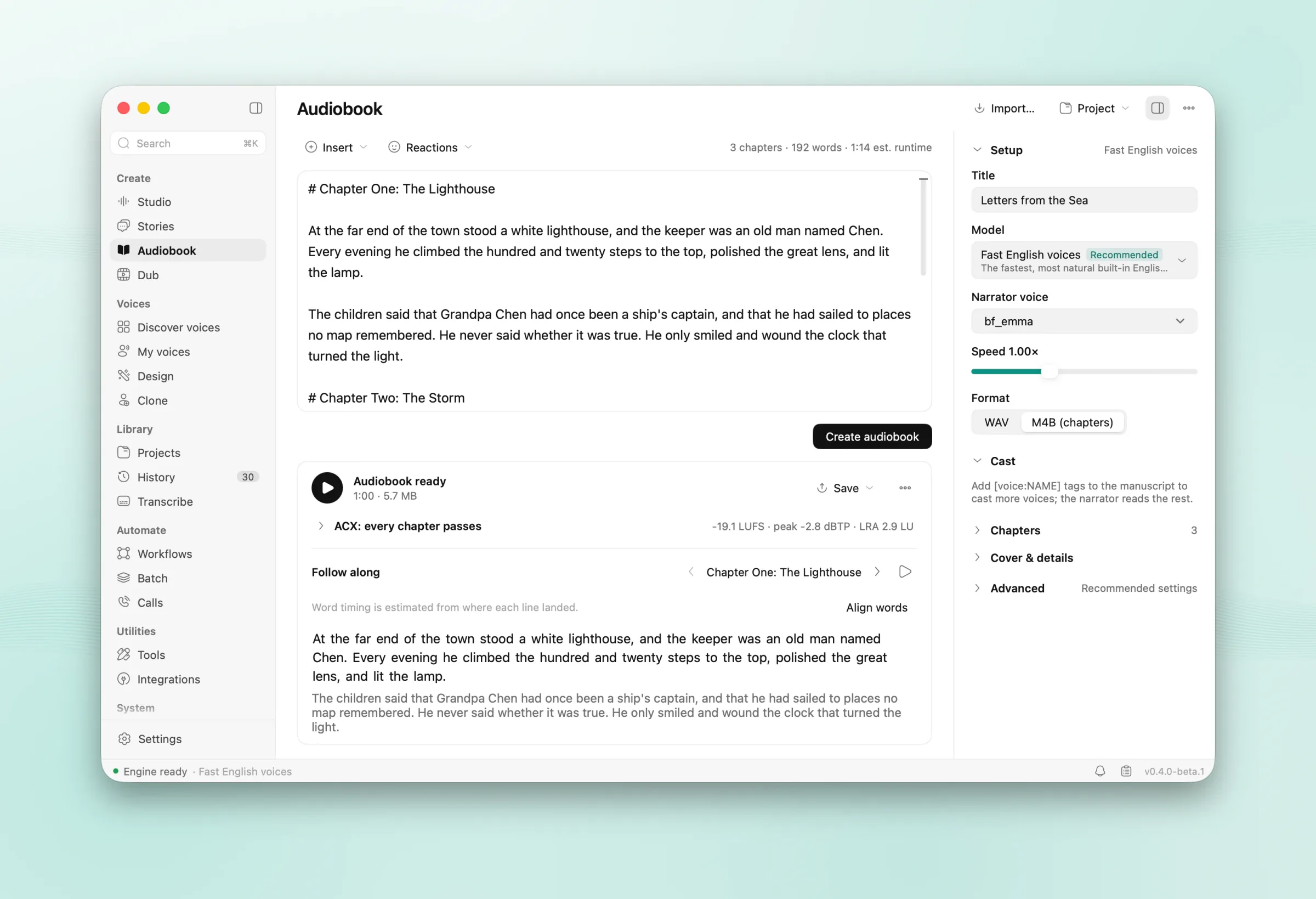
From manuscript to M4B

Import an EPUB, TXT, Markdown or DOCX book; chapters come from its headings. Loudness per chapter for ACX or podcasts, a read-along player, and an M4B with chapters, cover and tags.

  • Resumes after quitting; after an edit only the changed lines render again
An audiobook with chapters and a cover

Dub

Dub a video into another language


Drop in a video or paste a link. AudioSmith separates the voices from the background, transcribes who says what, translates, and speaks each line in its speaker's cloned voice, fitted to the original timing.

  • Edit lines on a timeline, compare A/B and re-dub only what changed
  • Export an MP4 with one audio track per language and soft subtitles
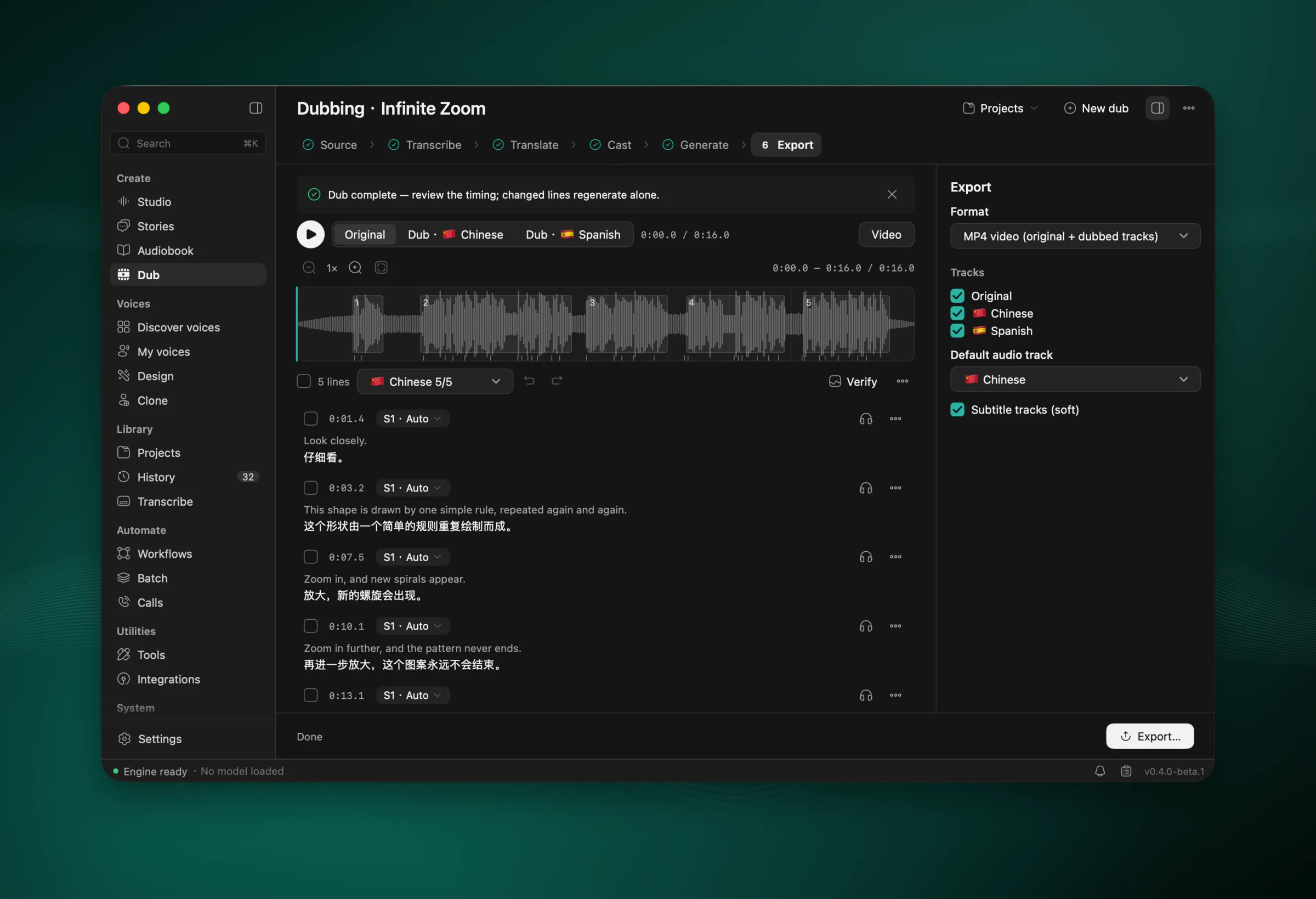
A dub of an English video into Chinese and Spanish, step by step

Transcribe and dictation

⌘⇧Space

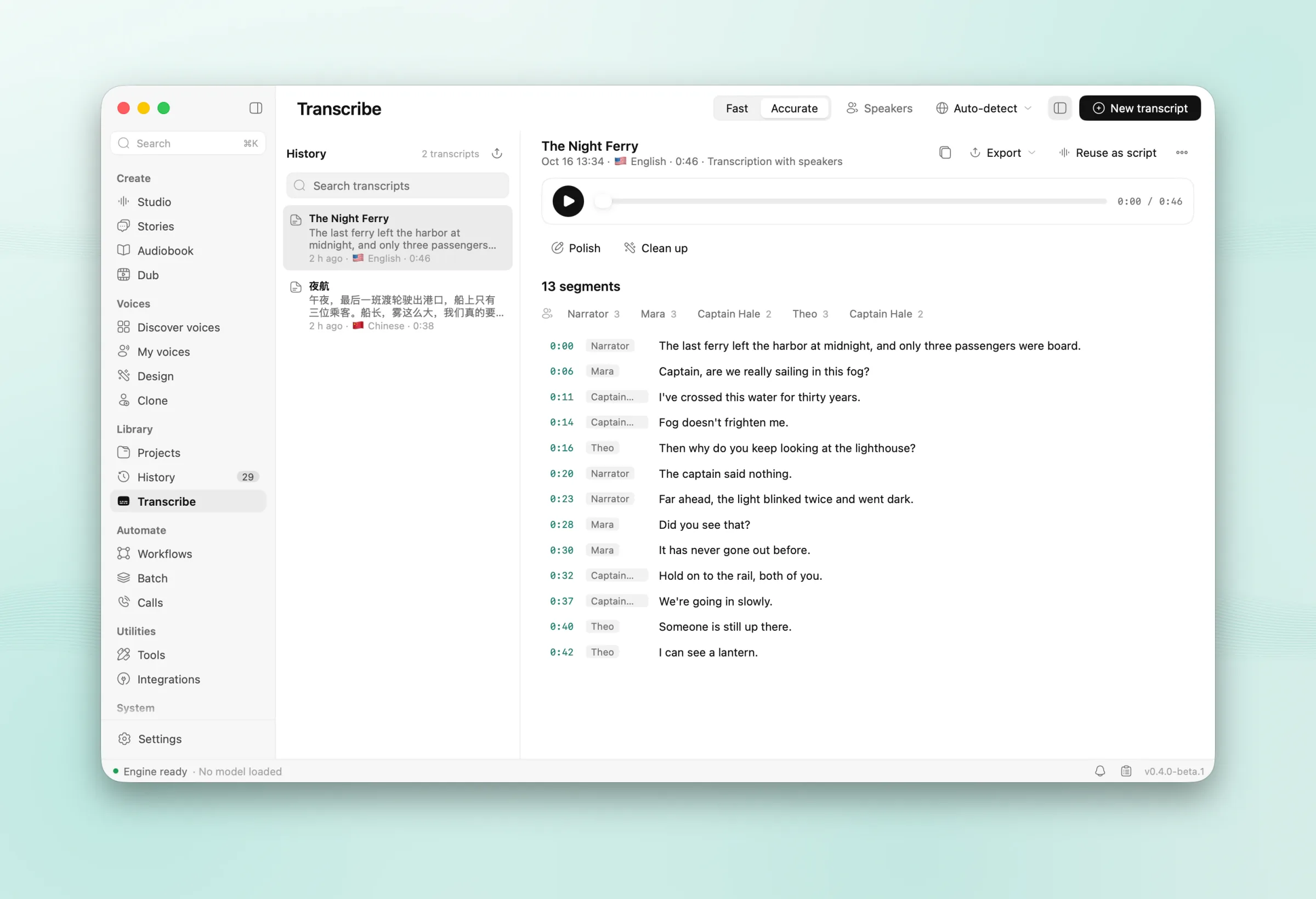
Transcripts with speakers, dictation anywhere

Transcribe recordings and videos with word timings in 30 languages, and tell speakers apart in one pass. Press ⌘⇧Space in any app to dictate; the text is typed at your cursor about 0.3 s after you stop.

A transcript with its speakers named

Workflows

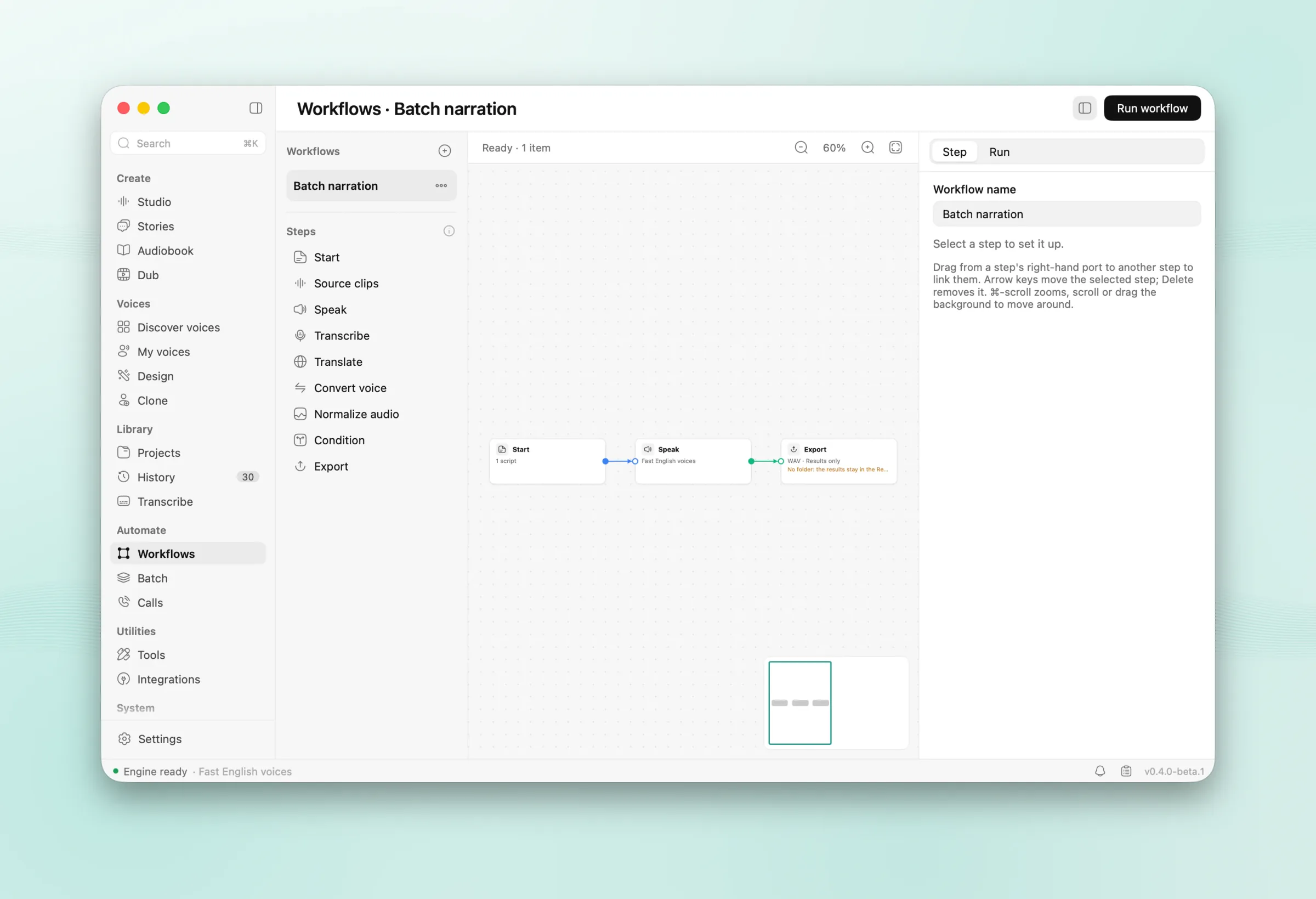
Chain it all on a canvas

Connect steps (sources, speak, transcribe, translate, convert, even out, condition, export), start from a template and run over up to 50 inputs. Batch dubs a whole folder, and can watch one.

A workflow on the canvas

For agents and scripts

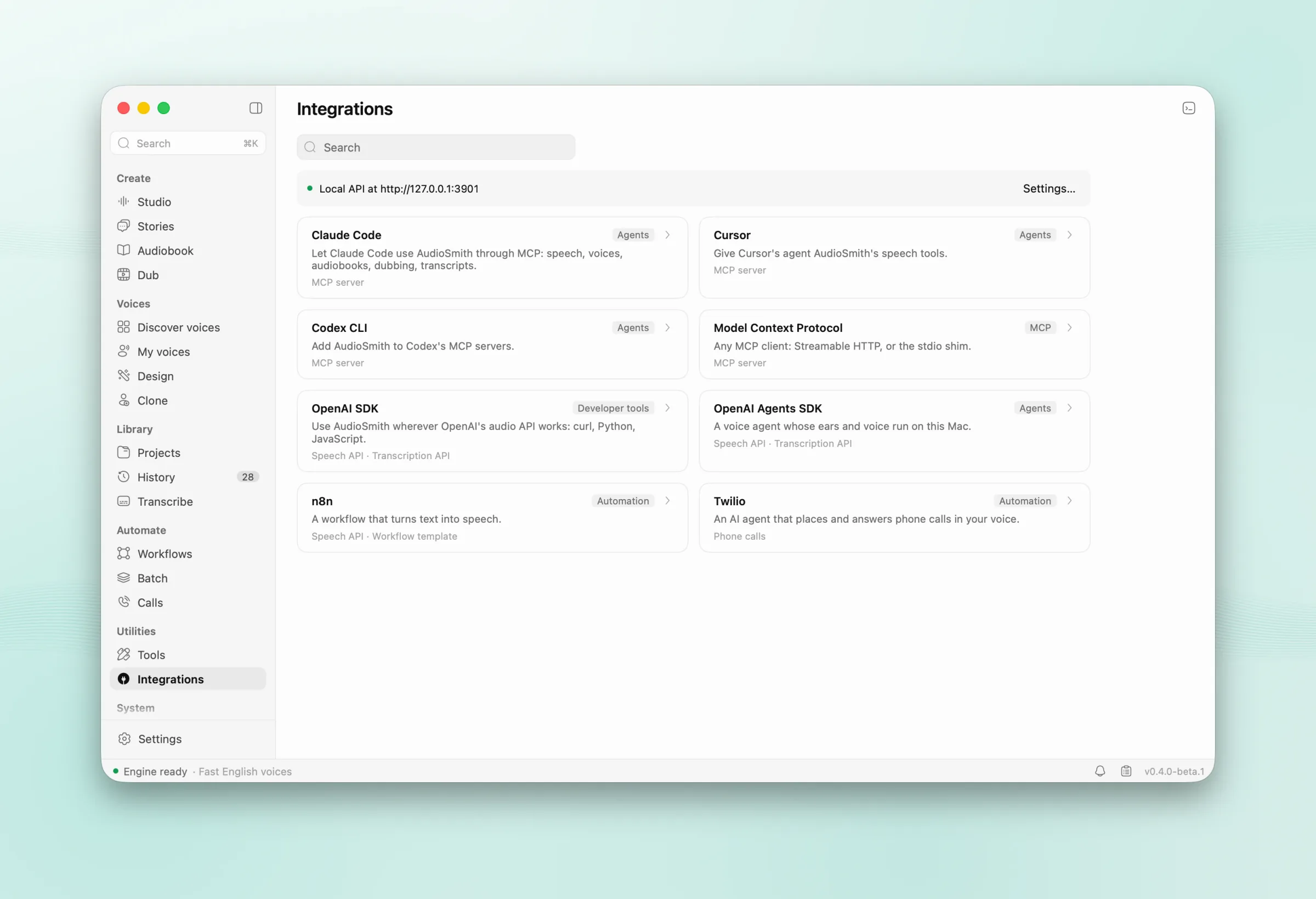
An OpenAI-compatible API on localhost

Point any OpenAI SDK at http://127.0.0.1:3901/v1 for speech, transcription and voices, or plug the MCP server's 33 tools into Claude Code, Codex or Cursor with one prompt.

The Integrations page with a setup prompt for Claude Code

More screens

  • Discover voices: about 1,200 voices to preview
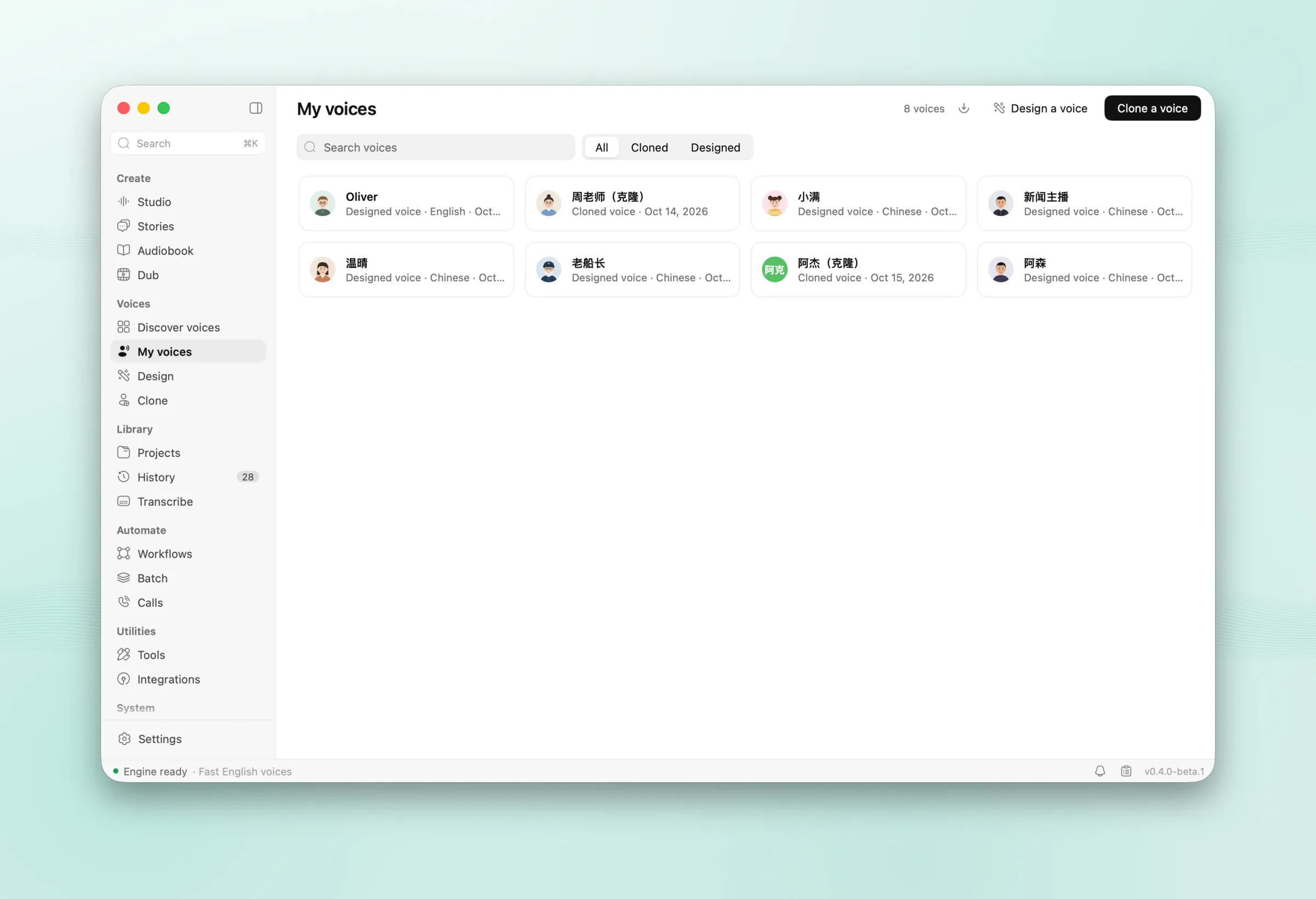
  • My voices: saved, designed and cloned voices
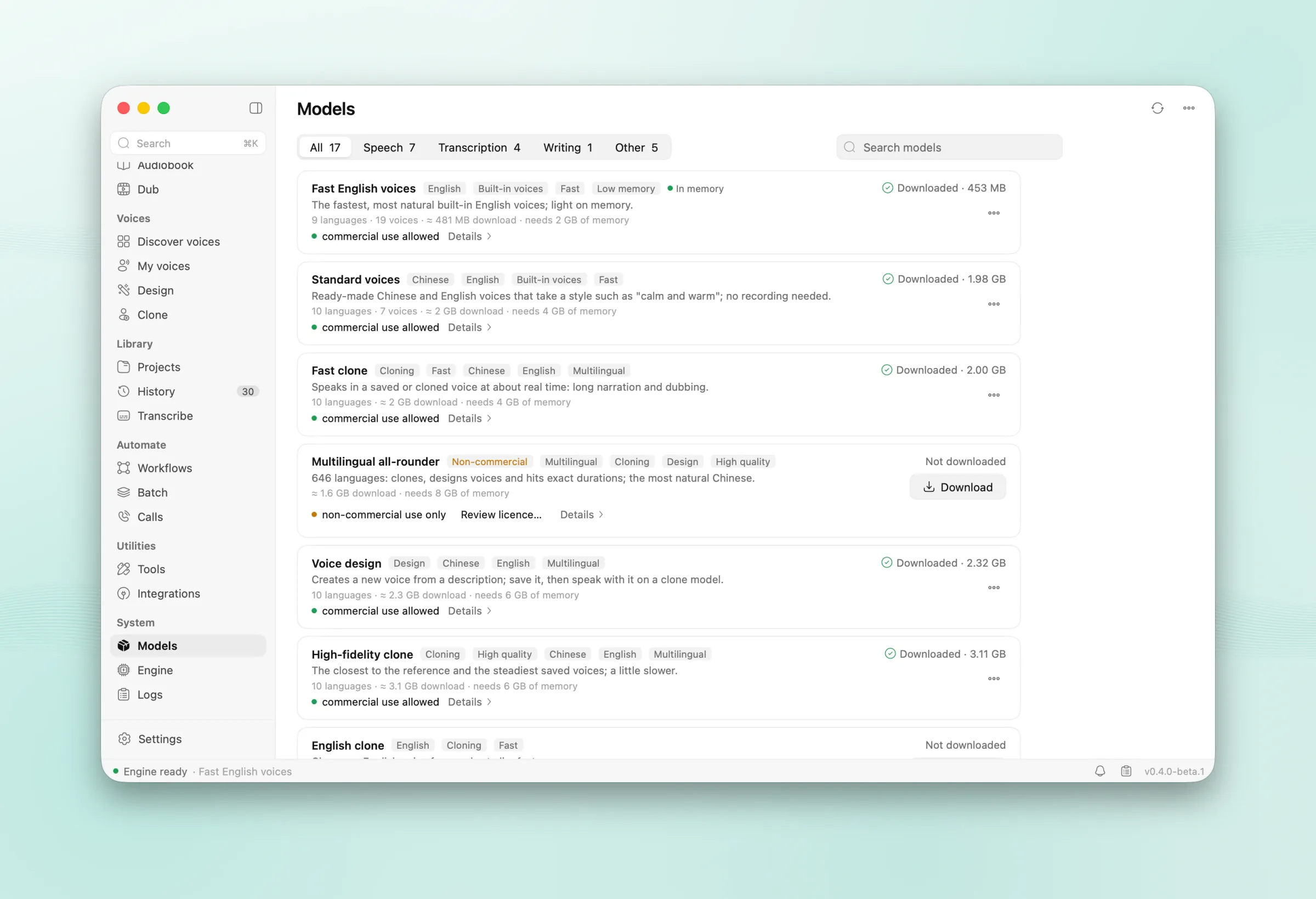
  • The Models page with friendly names and tags

  • The model picker: friendly names, tags and search
  • The Dub page in dark mode

Privacy

Made and heard on your Mac

Speech is generated and recognised on your Mac. The engine never connects to the network.

  1. 01AudioSmith connects only to download models, tools you turn on (ffmpeg, yt-dlp), links you paste, a cloud provider if you add one, and the daily update check.
  2. 02No analytics: no usage data, crash reports or identifiers, and no setting to turn them on.
  3. 03The local API listens on 127.0.0.1 unless you share it on your network, with a PIN.
  4. 04One switch keeps all writing help and translation on local models.
  5. 05Generated audio carries an inaudible watermark, on by default.

Open source under AGPL-3.0.

View on GitHub ↗

Requirements

macOS
15 or later
Chip
Apple silicon
Memory
8 GB runs the Fast pack; 16 GB recommended; 24 GB for the Quality pack
Disk
1.3–17 GB for models, depending on the pack
Languages
English, 简体中文

Permissions

  • Microphone

    For recording a voice to clone, dictation and live transcription.

  • Accessibility

    Only for dictation, to type into other apps.

FAQ

Questions

Yes. AudioSmith is open source under AGPL-3.0, and the app is free. Model weights keep their own licences; OmniVoice's is non-commercial, and the app asks before downloading it.

AudioSmith, free forever

Free and open source. A free ActNow account is all you need to download.

Latest release

0.4.0-beta.3

Oct 16, 2026 · beta

Full changelog

Dubbing

  • Importing a video from a link works again for YouTube videos offered only as separate video and audio streams (most of them now): AudioSmith gives yt-dlp the ffmpeg it uses (or one found on this Mac) to join them. Downloads stop at 1080p. Without any ffmpeg the error says to set it up in Settings → Audio tools, instead of "Requested format is not available".
  • When a step fails, the dub shows why that step failed, not "A job it depends on failed".

Diagnostics

  • Failed jobs (a dub step, a render, a transcription…) are written to the log, so Settings → Logs shows why.

Licence

  • The app ships THIRD-PARTY-NOTICES.txt with the full licence texts of the 45 components it includes; Settings → Diagnostics and about → Third-party licences opens it.