0.1.0 beta

Speak anywhere. The text lands at your cursor.

Press fn in any app and talk. Auralink types what you meant, without the ums and false starts, and translates or rewrites by voice too.

Download the beta
  • Works in every app, with one key
  • Your services, your keys; no server of ours in between
  • Pay once, $19
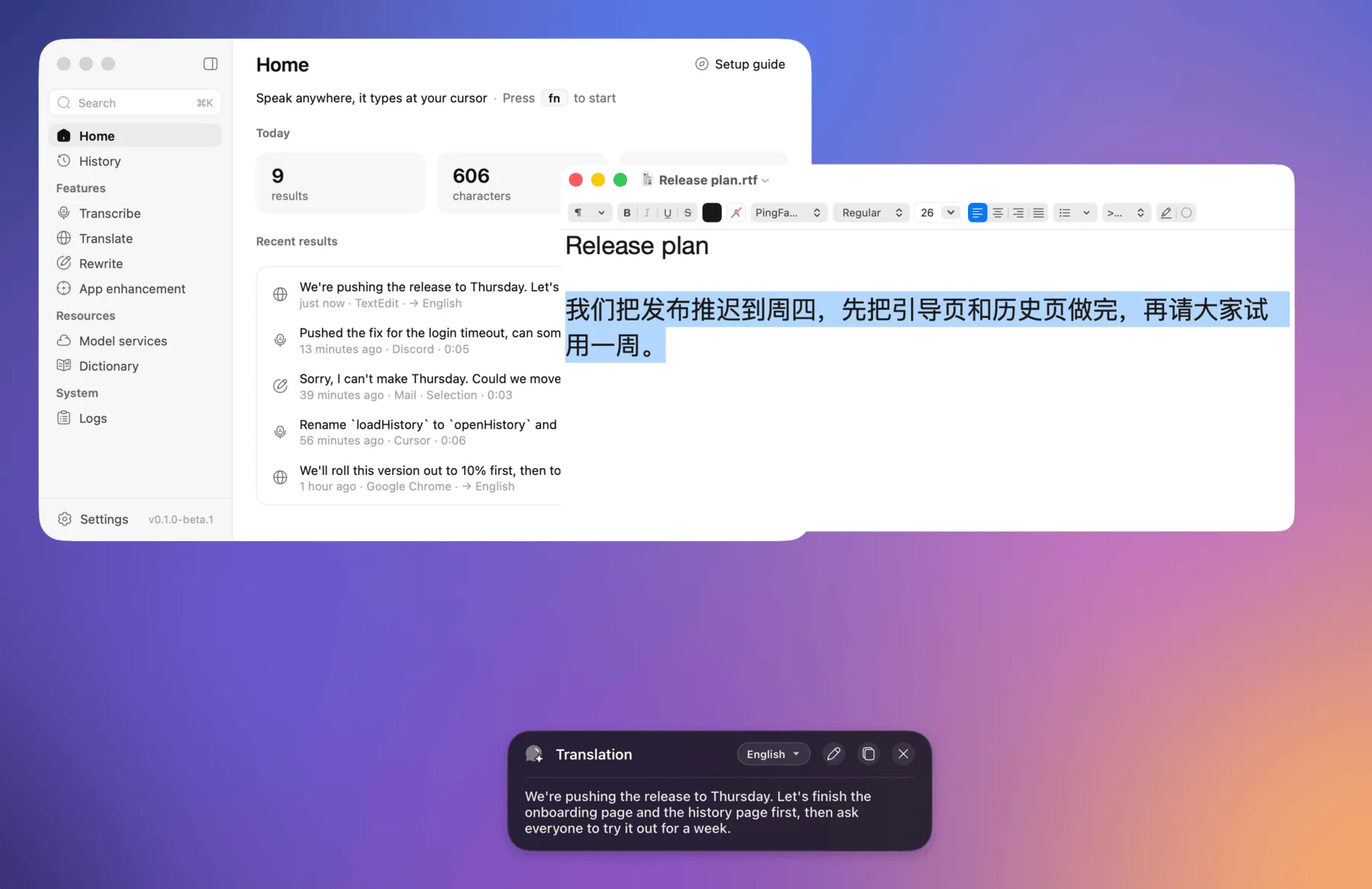
Auralink's main window, and a translation card over TextEdit

3

features, one shortcut each

20+

language model providers

4

speech recognition services

0

accounts, analytics or crash reports

Features

Voice input for every app

Transcribe

fn

Speak, and it types where you are

Tap fn, speak, tap again. The words are recognised, tidied by a language model and typed into the app in front: fillers and false starts gone, punctuation and numbers right, your own rules applied.

  • Tap, double tap or hold to talk; several shortcuts per feature
  • Your clipboard is put back after pasting
  • ⌃⌘V pastes the latest result again

Transcribe: the pill and its waveform, the words recognised, then the text at the cursor

Translate

fn⇧

Translate a selection, or what you say

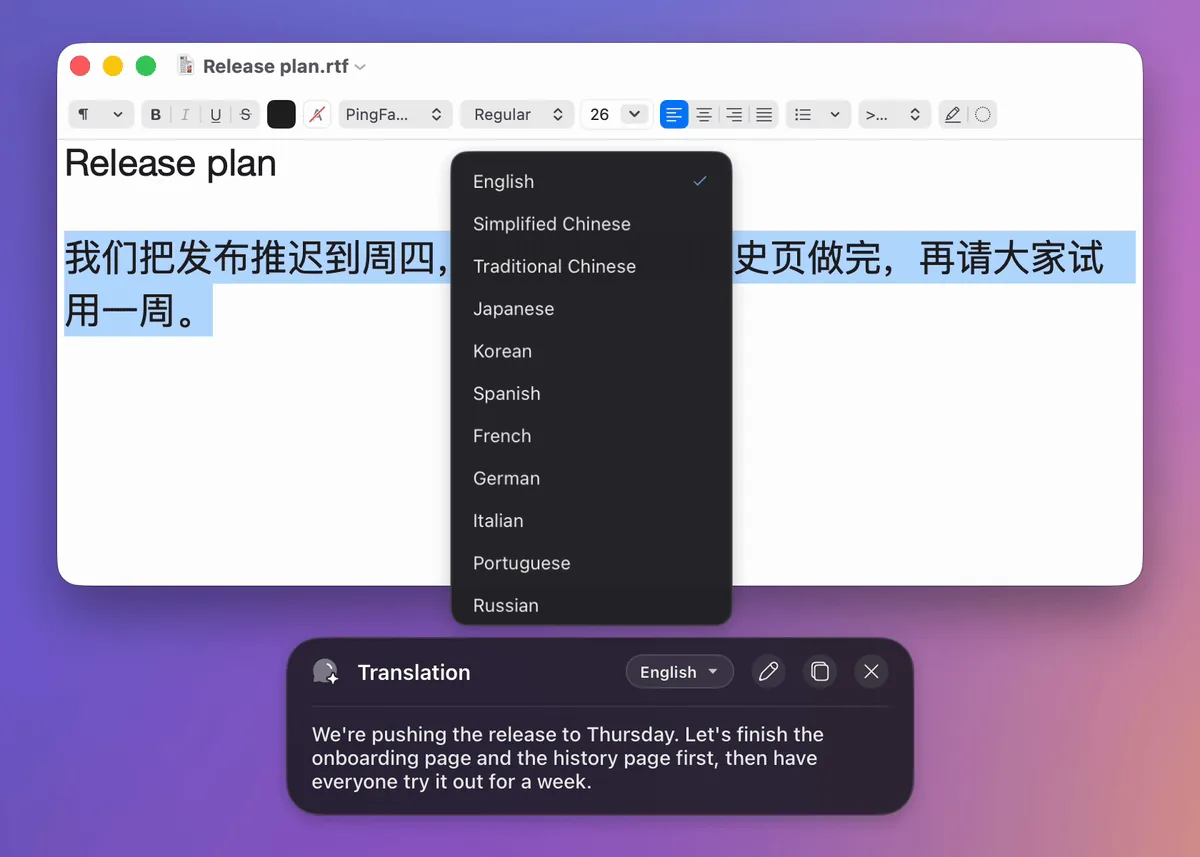
Select text and press fn ⇧ to translate it into the language you choose. With nothing selected, Auralink translates what you say. The answer card switches to another language in place.


Translate: a Chinese paragraph selected, the English translation in the card, then Japanese

Rewrite

fn⌃

Rewrite by asking

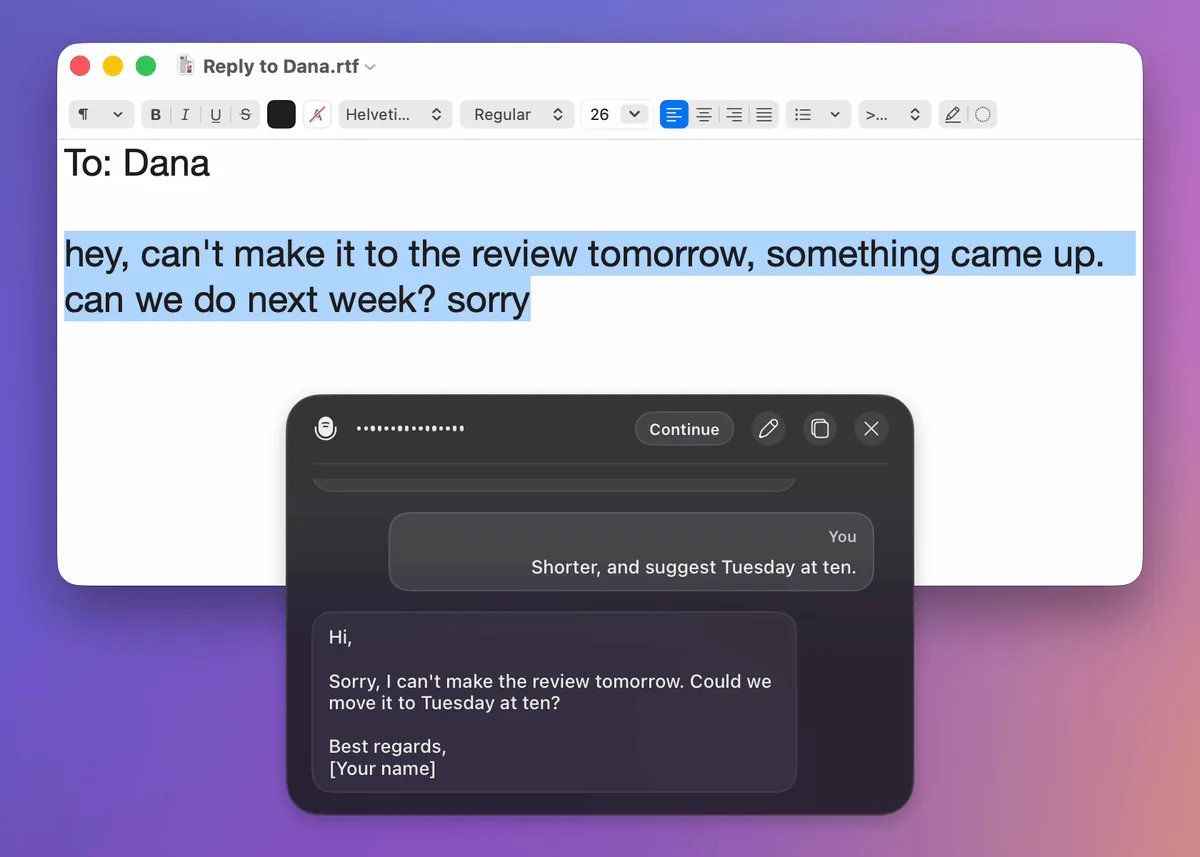
Select a hasty note, press fn ⌃ and say "make this a polite email to my manager". Insert puts the answer over the selection; Continue asks for a change, as a conversation.


Rewrite: a note turned into an email, a follow-up, then the answer inserted

App enhancement

Writes the way each app needs

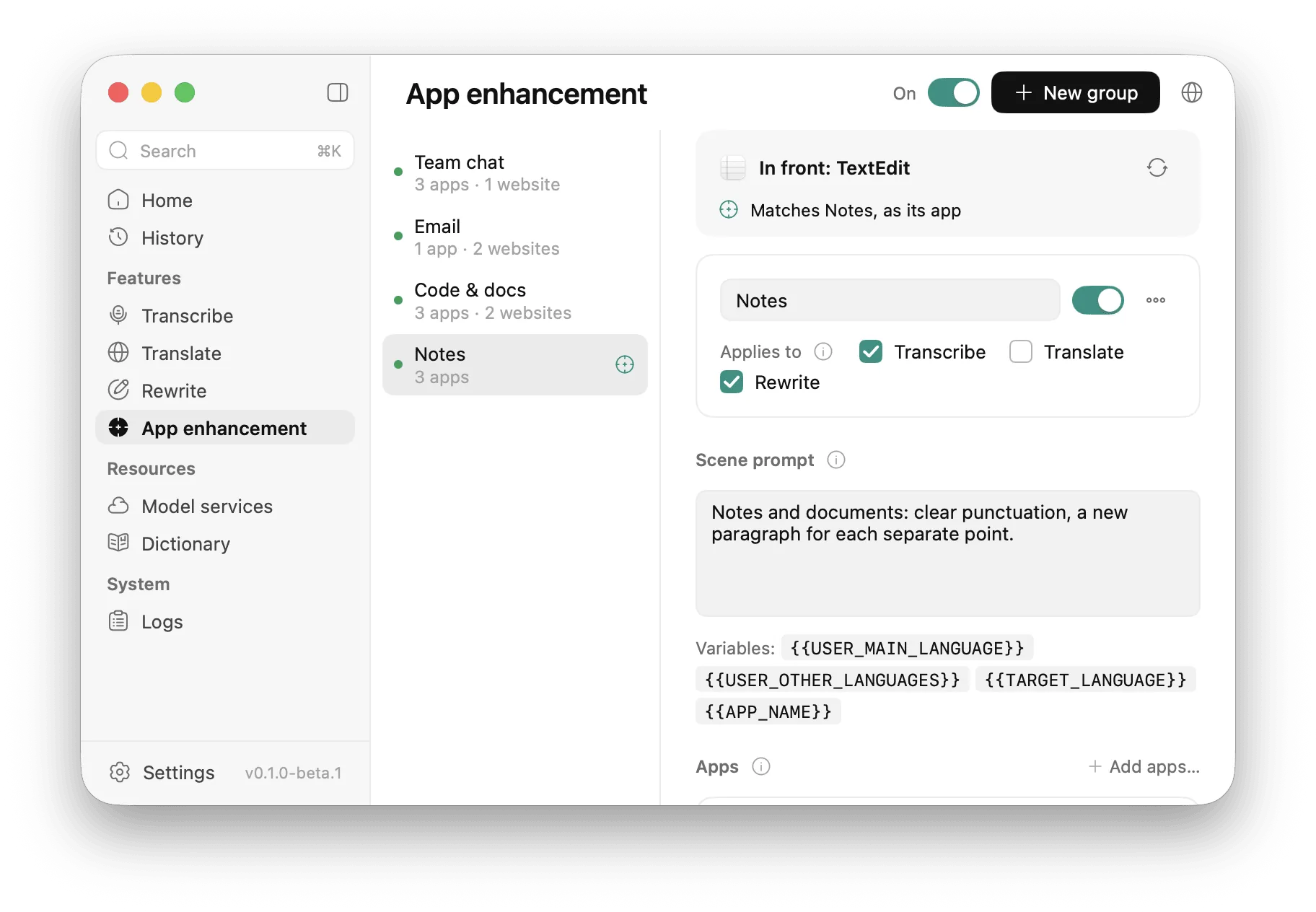
Group apps and websites and give each group a scene: "a team chat: short and casual", "email: complete sentences". Auralink matches the app or browser tab in front and can press Return for you after inserting.

App enhancement: groups, the match for the app in front, a scene prompt

Dictionary

Gets your names and jargon right

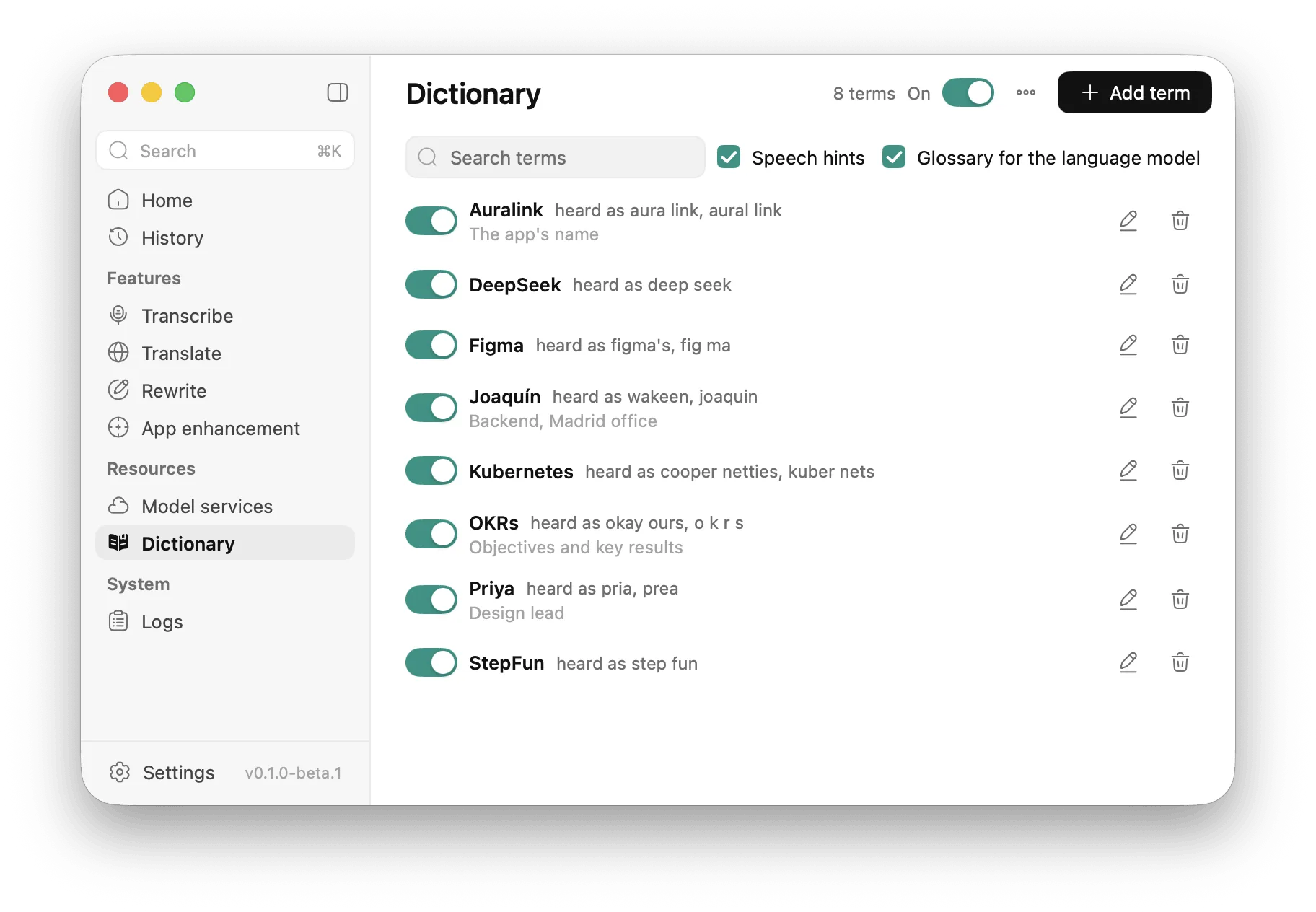
Add the names, products and terms recognition gets wrong, with the ways it tends to mishear them. They go to the speech service as hints and to the language model as a glossary. Import and export as CSV or text.

Dictionary: terms and the aliases recognition writes instead

Overlay

Stays out of your way

A small pill near the bottom of the screen shows the feature, a waveform and the words as you say them. It never takes the focus from the app you type into, and the pointer goes straight through it.

  • Results to read come in an answer card with Insert, Copy and the target language
  • Position, opacity and corners are yours to set
The answer card with a translation and the language menu

Sound and silence

Clearer audio, shorter uploads

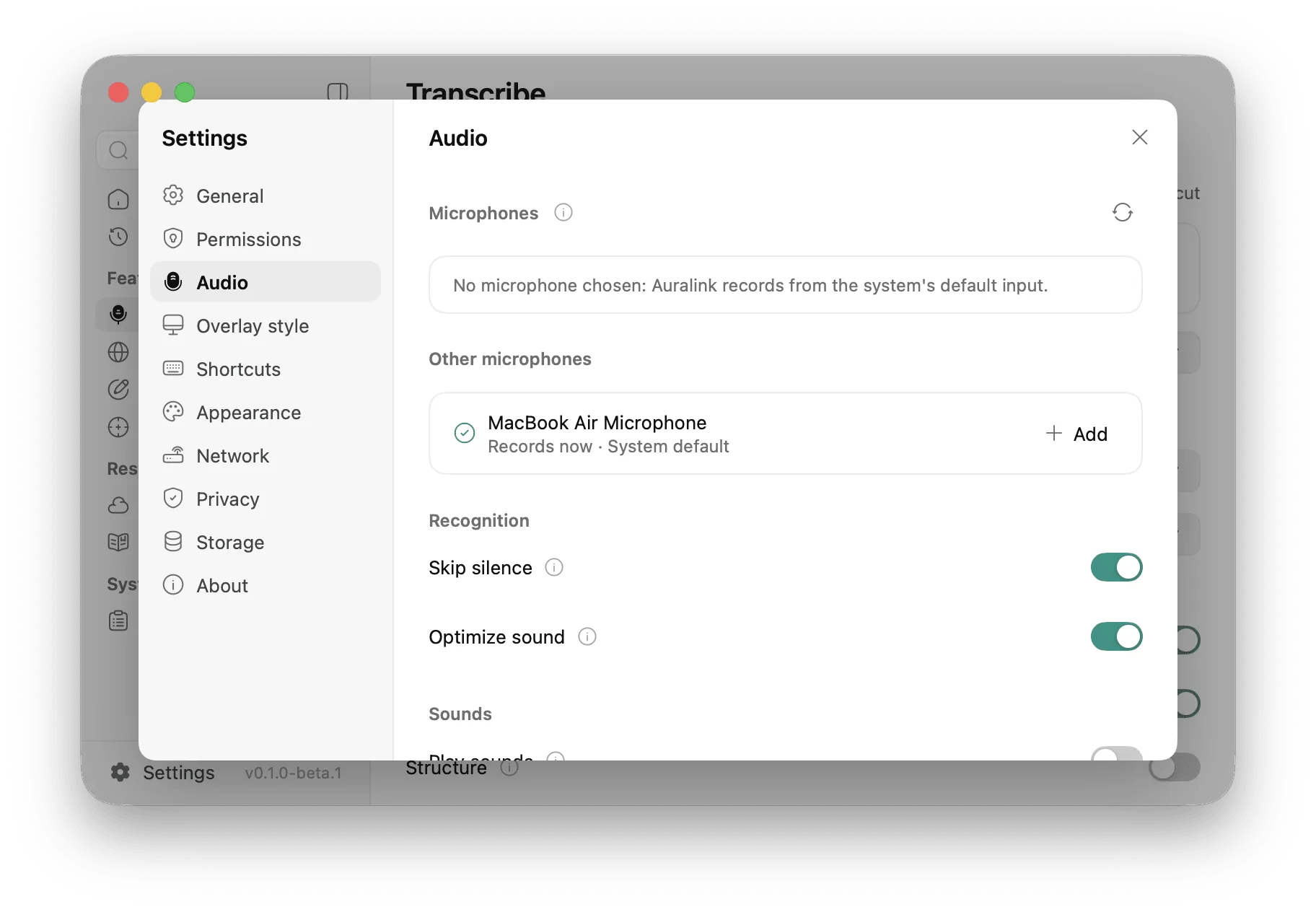
Before audio leaves your Mac, Auralink filters out hum, lifts a quiet voice and cuts the silence, with plain signal processing. Uploads get shorter, and services billed by the minute cost less. A recording with no speech is not sent at all.

Settings → Audio: microphones, skip silence, optimize sound

Model services

Bring the services you trust

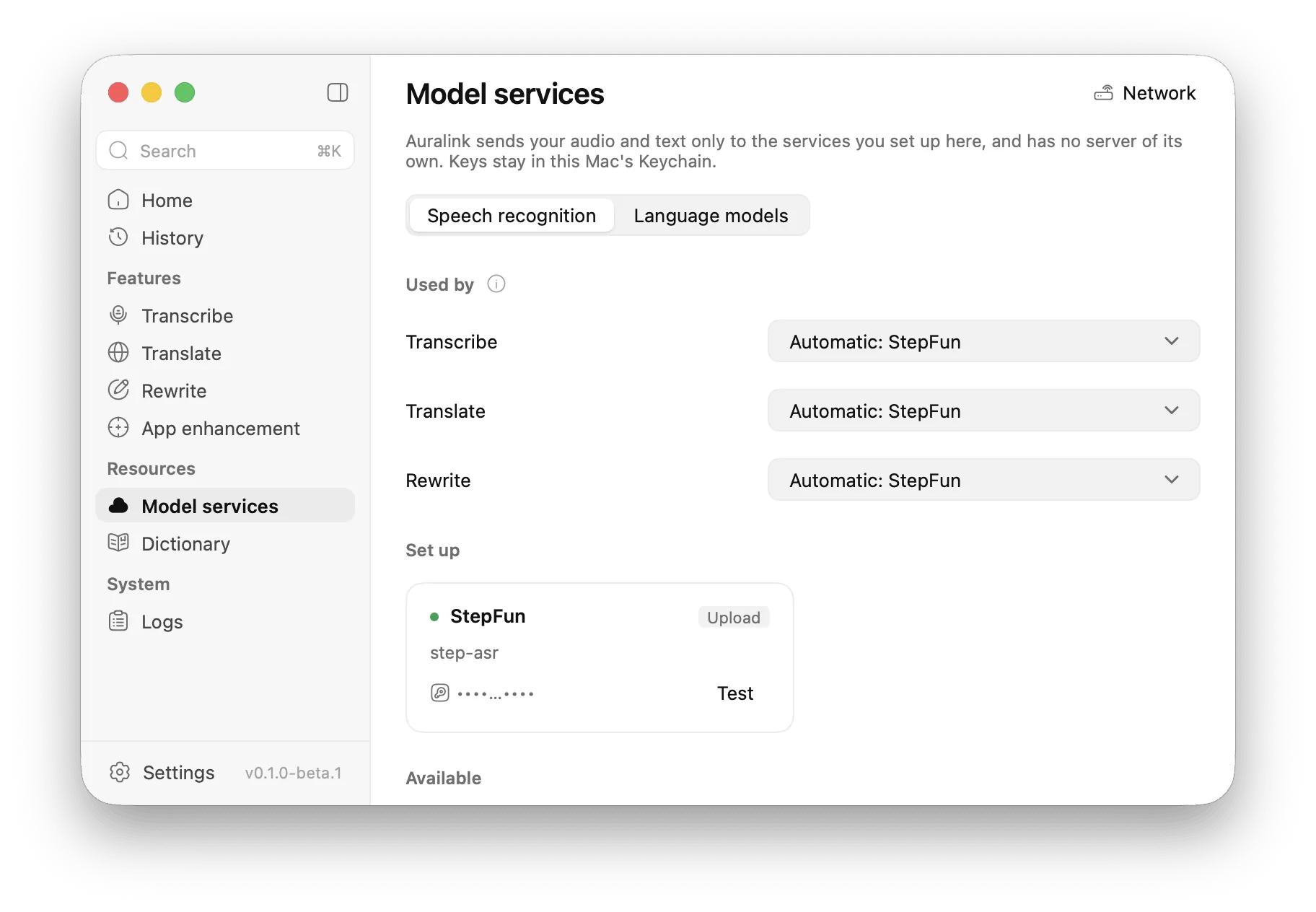
Choose your speech recognition (Doubao, Alibaba Cloud, StepFun or any OpenAI-compatible endpoint) and your language model (DeepSeek, Qwen, Kimi, GLM, OpenAI, Anthropic, Gemini, OpenRouter, Groq and more). Test each connection, and pick one per feature.

  • API keys are stored in the macOS Keychain, never in settings, history or logs
Model services: services per feature, connection tests

More screens

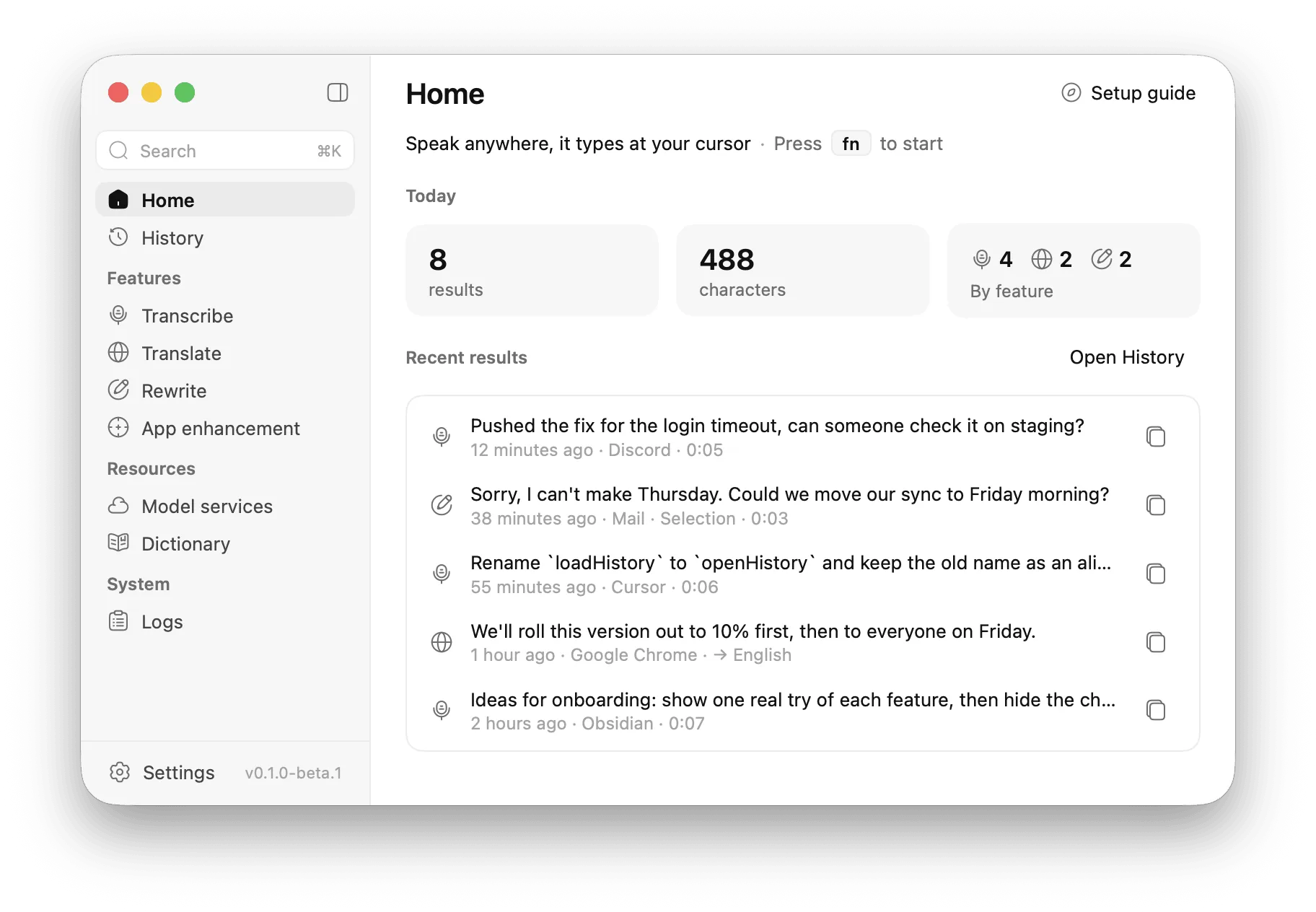
  • Home: today's numbers and the latest results
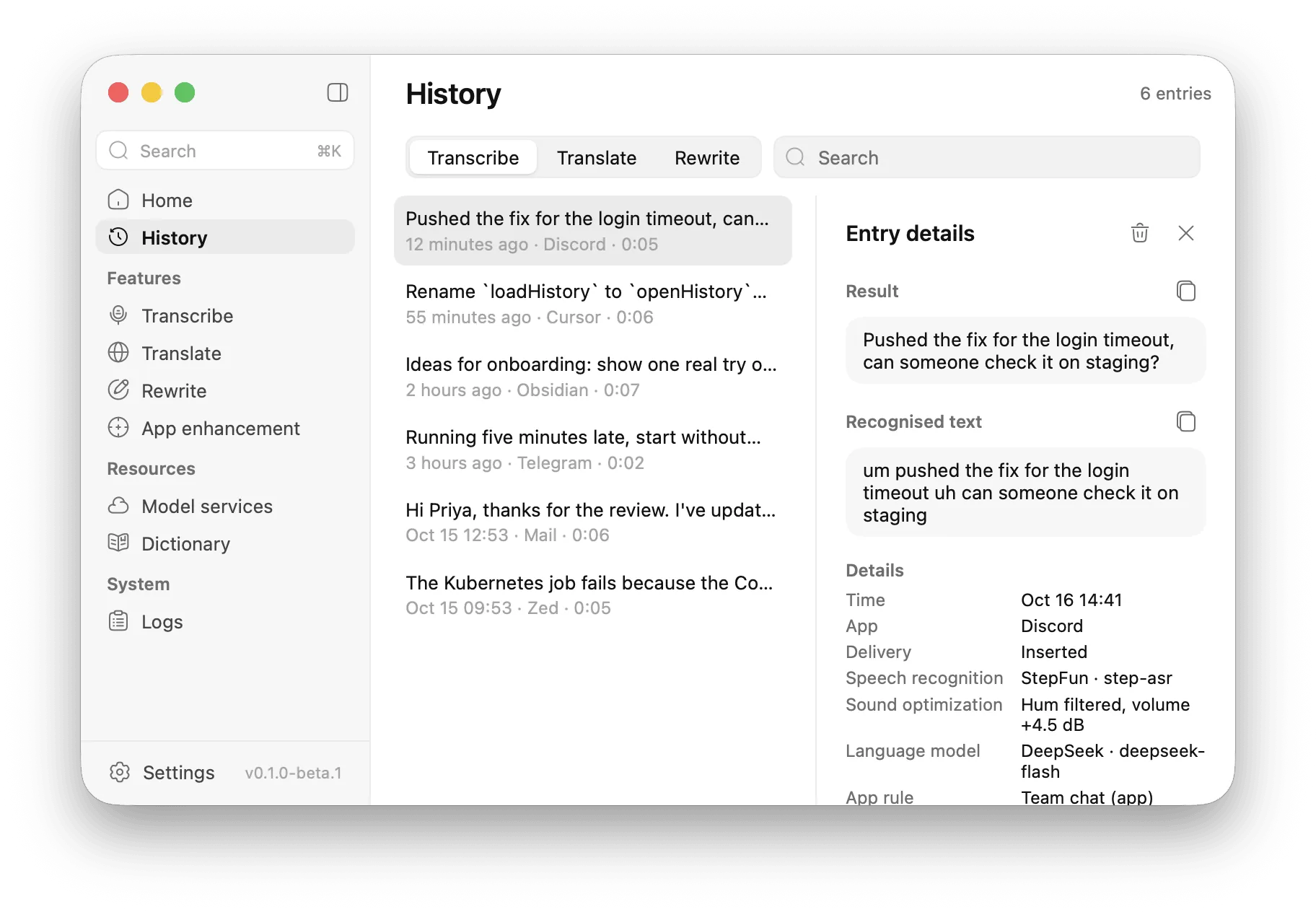
  • History: results by feature, and one's details
  • The answer card with a rewrite conversation
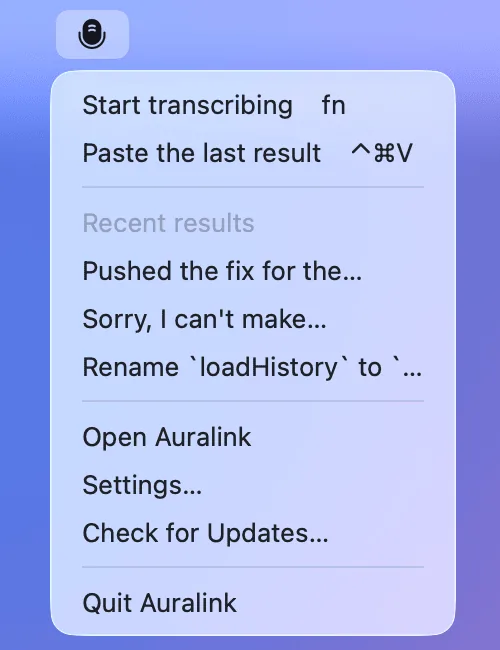
  • The menu bar icon's menu

Privacy

Your words go where you send them, and nowhere else

Auralink runs no server of its own. Audio and text go only to the speech and language services you set up, with your own keys.

  1. 01No account, no usage data, no crash reports, no identifiers.
  2. 02API keys live in this Mac's Keychain.
  3. 03History stays on this Mac. Keeping recordings is off by default, and Settings → Privacy turns the history off or clears it.
  4. 04Browser addresses are read only to choose an app enhancement group. They are never sent to a model; only the app's name is.
  5. 05Besides your services, Auralink only connects to check for updates.

Requirements

macOS
15 or later
Chip
Apple silicon
Languages
English, 简体中文
An API key for at least one speech recognition service
A language model key for clean-up, Translate and Rewrite (optional for plain transcription)

Permissions

  • Microphone

    To record while a shortcut is active, and only then.

  • Accessibility

    To type results into other apps, read the selected text, use fn as a shortcut and see which app is in front. Without it, results are copied instead.

FAQ

Questions

Yes. Auralink connects to the services you choose with your own keys, so you pay them directly, usually a fraction of a cent per minute. You need at least one speech service; a language model adds clean-up, Translate and Rewrite.

Auralink, $19 once

No subscription. Or get every paid app in the bundle for $39.

Latest release

In development

Full changelog

The first beta. Everything on this page is built and tested; the app icon is still a placeholder.