Press kit //

Press kit

Logos, app icons, screenshots and descriptions of ActNow and its apps, for writing about them. Take one file, one app's kit, or everything.

Brand //

The ActNow logo

Symbol

The app-icon tile. For avatars and small spaces.

Wordmark, for light backgrounds

actnow. in ink with a teal period.

Wordmark, for dark backgrounds

actnow. in white with a light teal period.

Colours

Click a colour to copy its HEX.

Fonts

All free under the SIL Open Font License; get them from their makers.

Google Sans Flex ↗
Headings and text on actnow.dev · SIL Open Font License 1.1
Geist Mono ↗
Labels and code on actnow.dev · SIL Open Font License 1.1
Geist SemiBold ↗
The wordmark: outlined letters with a custom ct; use the logo files, don't retype it · SIL Open Font License 1.1

Using these files

  • Use these files to write or talk about ActNow and its apps. No need to ask first.
  • Keep the logo and icons as they are: no new colours, stretching, effects or retyped letters, and some room around them.
  • Write the names as one word with these capitals: ActNow, Inboxly, Pik, Dicta, AudioSmith, VoxtMini, Auralink, Refto.
  • Don't use them to suggest that ActNow made, sponsors or endorses something it didn't.
  • The screenshots show made-up mail, meetings and documents. The latest version of an app may look a little different.

Apps //

Icons, screenshots and descriptions

Each app's icon as PNG, three screenshots at 2x, and its description in three lengths.

Descriptions in

Inboxly

Mail · Search · Local AI

Price
$5.99 for 2 Macs / $7.99 for 3 Macs, paid once, updates included · launch price until version 1.0 · 15-day free trial on each Mac
Runs on
macOS 15+ · Apple silicon

One line

Every mail account, sorted on your Mac

Short

A calm, fast mail app for all your accounts. It sorts, searches and summarises with models that run on your Mac.

Long

Gmail, iCloud, QQ Mail, 163 and any IMAP account in one inbox. What waits for your reply comes first, search finds mail by what it means, and summaries, replies and translations are written by models on your Mac. Inboxly never uploads your mail.
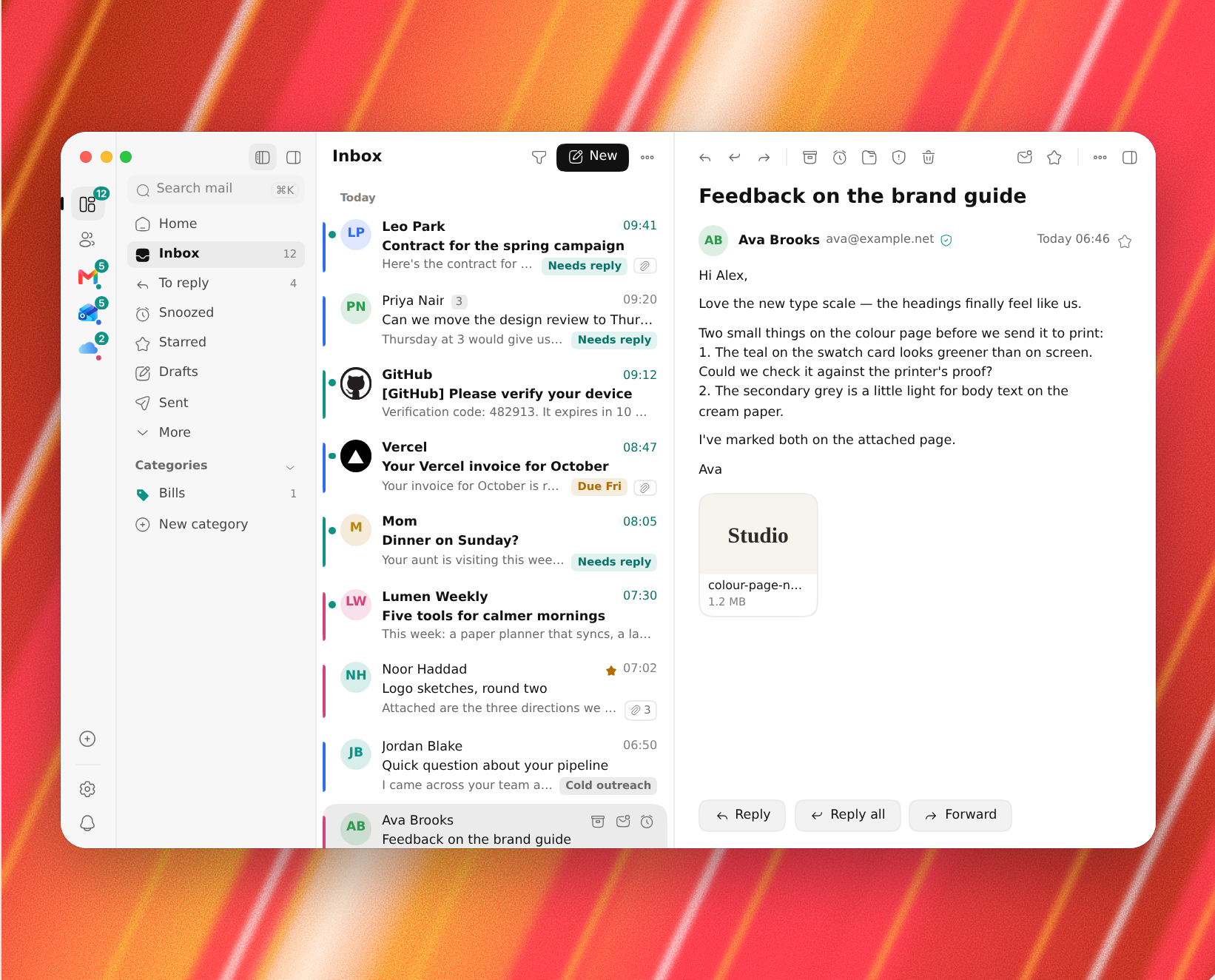
Inboxly's window: every account in one inbox, a message open
Inboxly's window: every account in one inbox, a message open

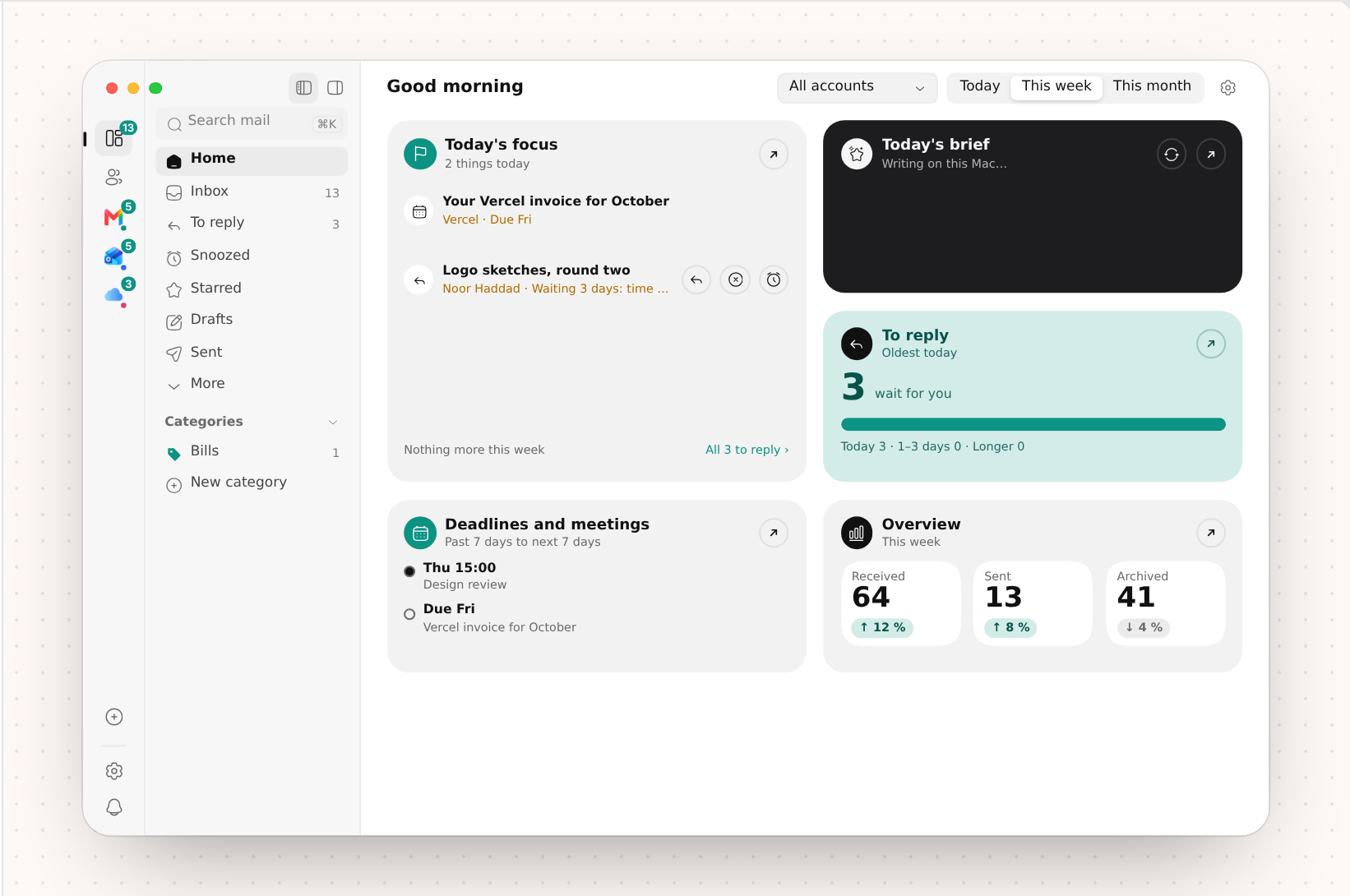
Inboxly's Home: today's focus, mail to reply to, deadlines and an overview
Inboxly's Home: today's focus, mail to reply to, deadlines and an overview

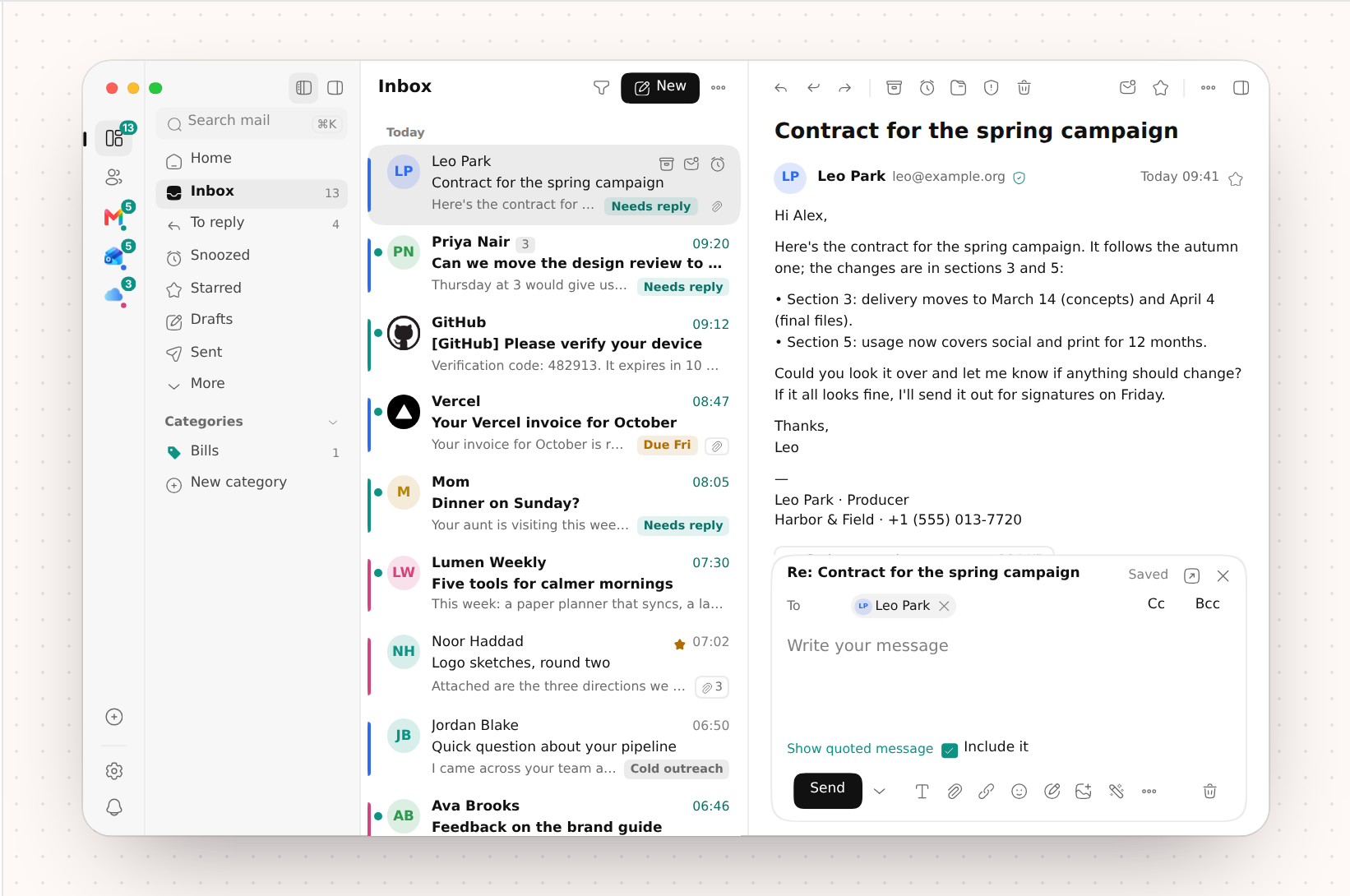
Replying in Inboxly, the reply box open under the message

Replying in Inboxly, the reply box open under the message
Inboxly's screenshots show mail providers' and senders' logos (such as Gmail, iCloud, GitHub and Apple) the way Inboxly draws them. Those logos belong to their owners.

Pik

Colour · Design · Menu bar

Price
$2.99 for 2 Macs / $3.99 for 3 Macs, paid once, updates included · launch price until version 1.0 · 15-day free trial on each Mac
Runs on
macOS 15+ · Apple silicon or Intel
Website
actnow.dev/pik

One line

The colour picker for your menu bar

Short

Pick any pixel on screen, keep it in a palette and paste it as code, from the menu bar.

Long

Pik picks any colour on any screen and keeps it in Color History and your palettes. It copies colours in 28 code formats, turns any area of the screen into a palette, checks contrast and keeps palettes in a dock at the screen's edge.

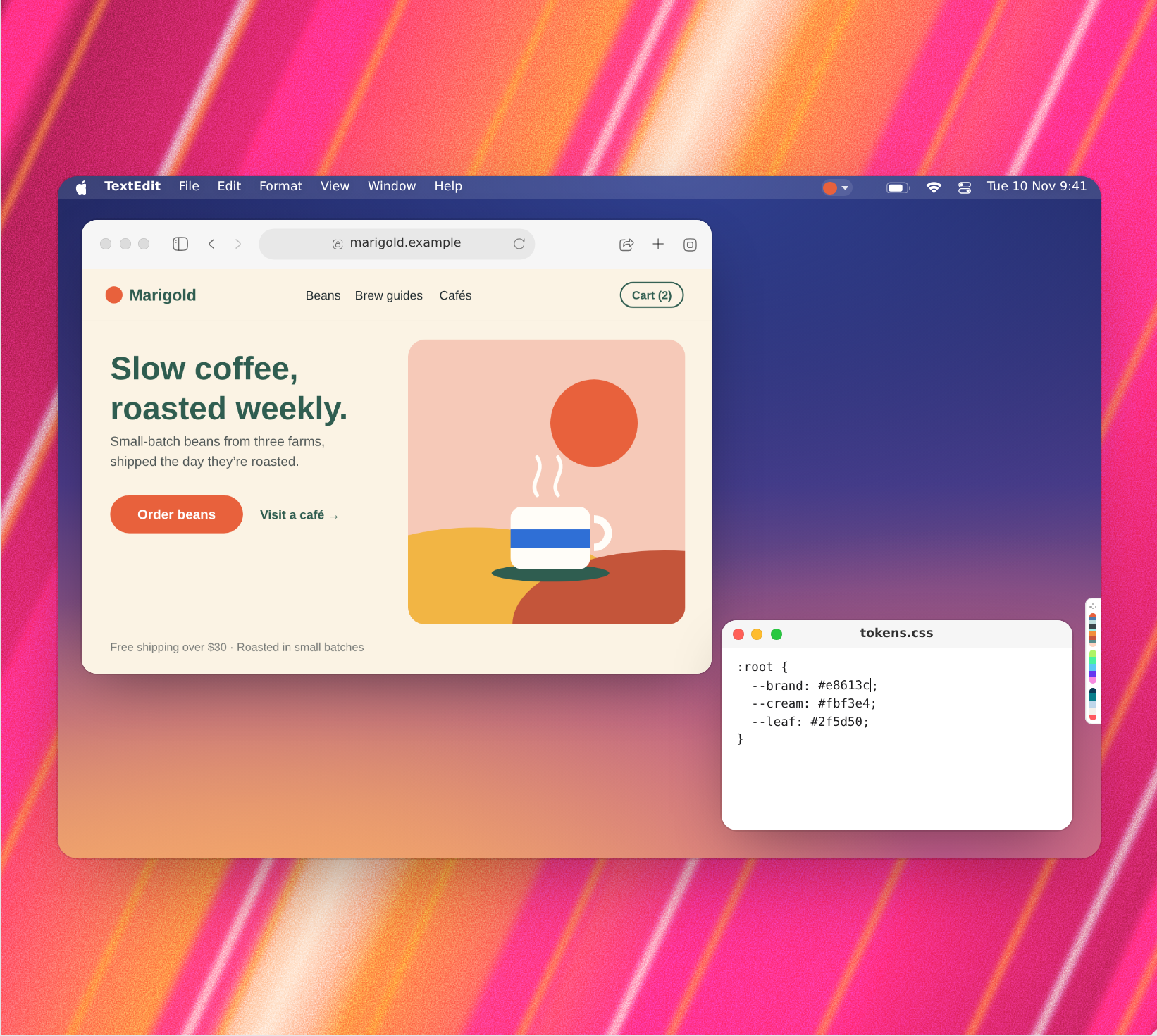
Pik on a Mac desktop: a web page, a CSS file and the Color Dock at the screen's edge

Pik on a Mac desktop: a web page, a CSS file and the Color Dock at the screen's edge

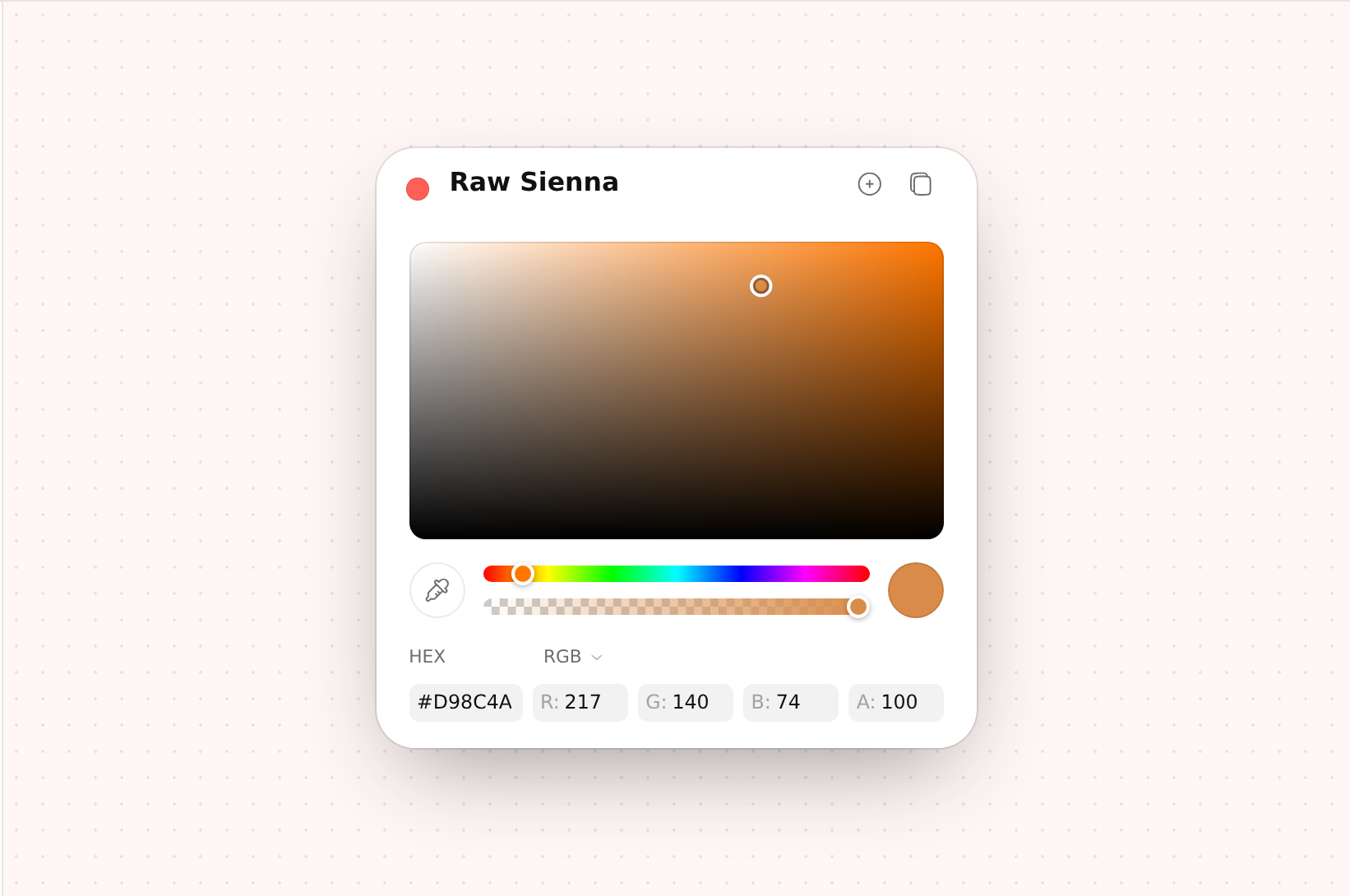
Pik's Color Panel: the colour square, sliders, HEX and RGB

Pik's Color Panel: the colour square, sliders, HEX and RGB

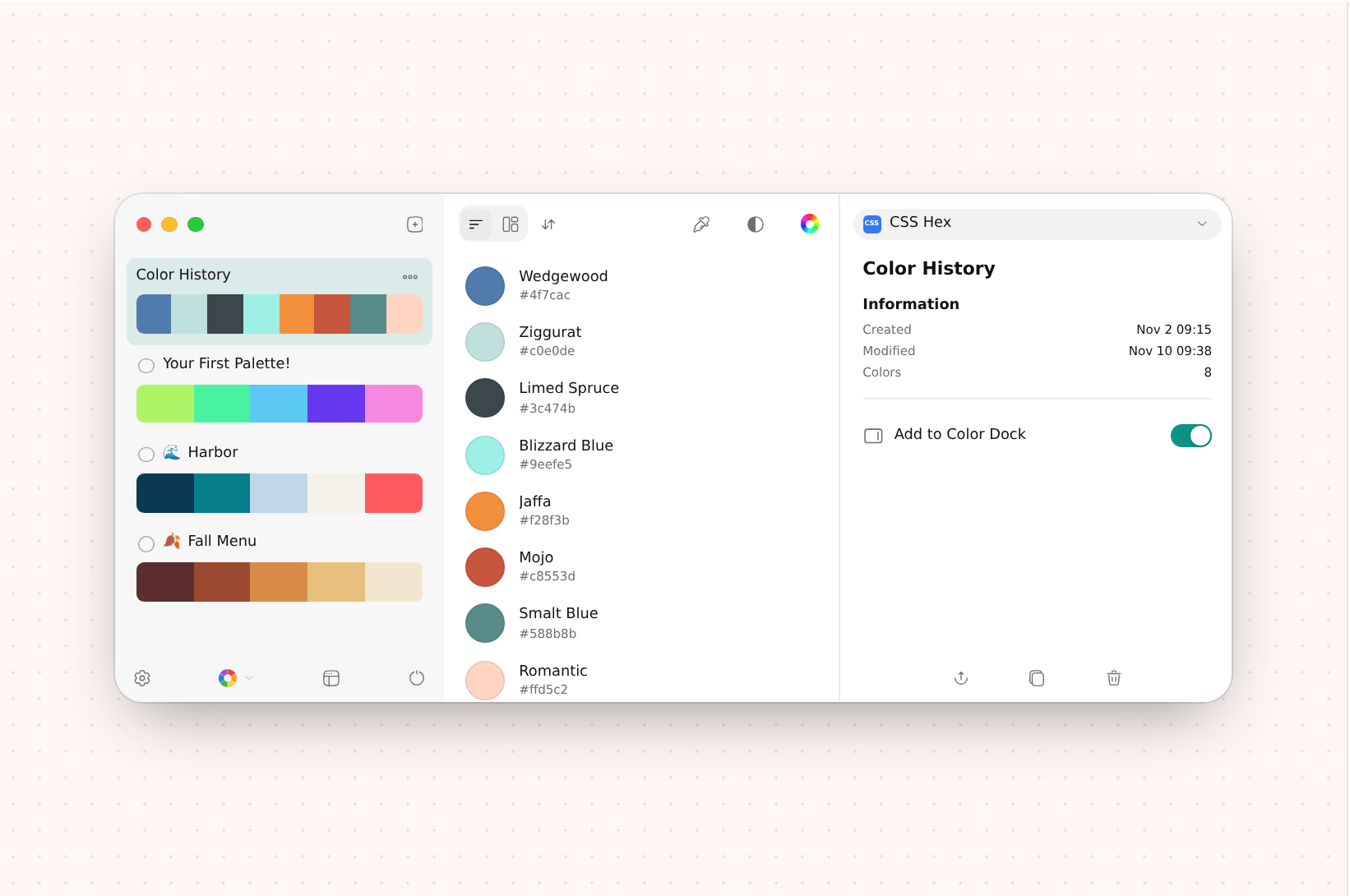
Pik's main window: Color History, palettes and the inspector

Pik's main window: Color History, palettes and the inspector

Dicta

Transcription · Meetings · Local AI

Price
$5.99 for 2 Macs / $7.99 for 3 Macs, paid once, updates included · launch price until version 1.0 · 15-day free trial on each Mac
Runs on
macOS 15+ · Apple silicon
Website
actnow.dev/dicta

One line

Meeting notes that never leave your Mac

Short

Meetings, recordings and files transcribed and summarised on your Mac, with no bot and no cloud.

Long

Dicta transcribes your meetings, recordings, files and links, tells speakers apart and writes summaries, all on your Mac with local models. No bot joins your call, and nothing is uploaded.

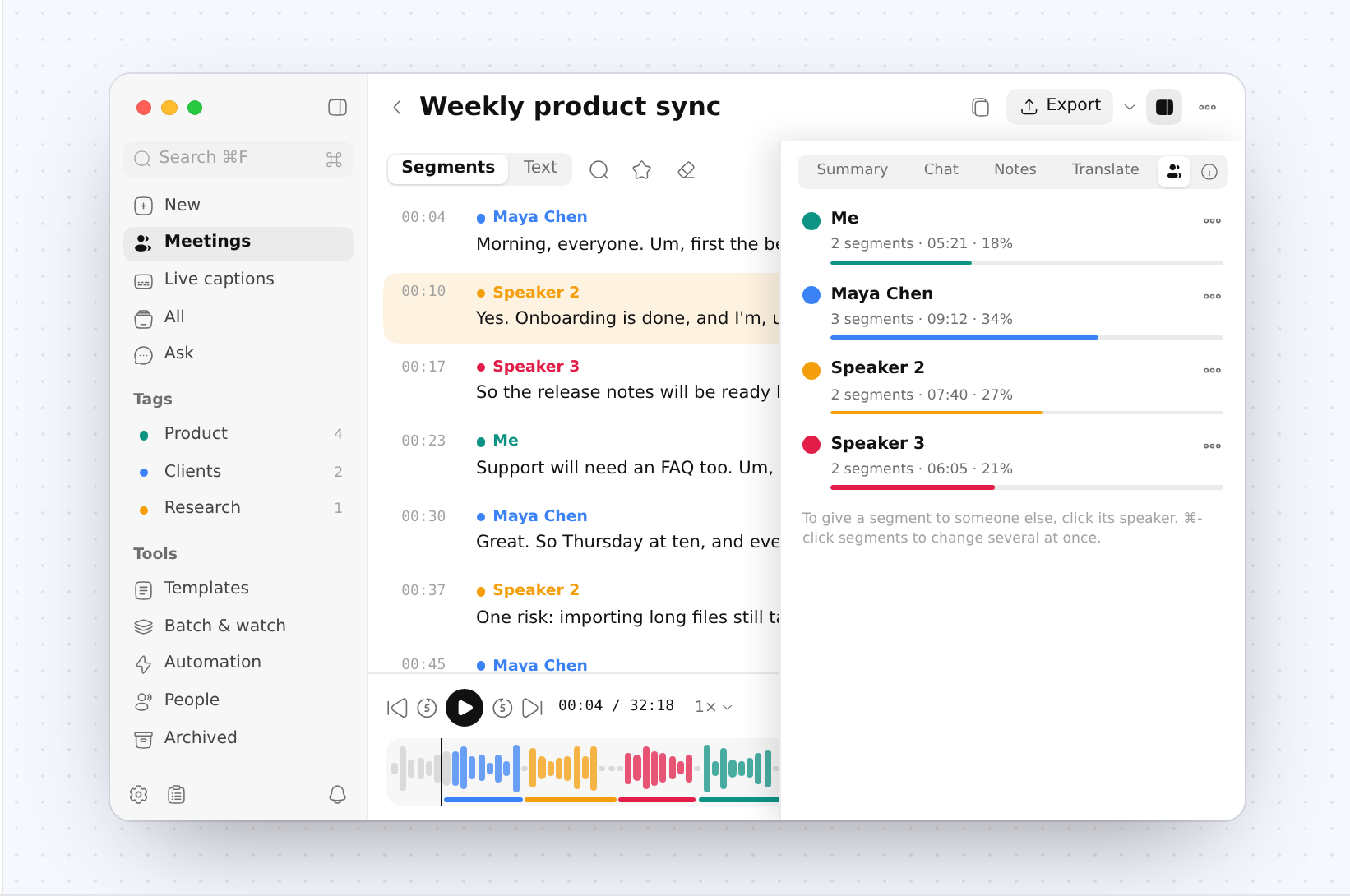
A meeting transcribed in Dicta, with its speakers and how much each one spoke

A meeting transcribed in Dicta, with its speakers and how much each one spoke

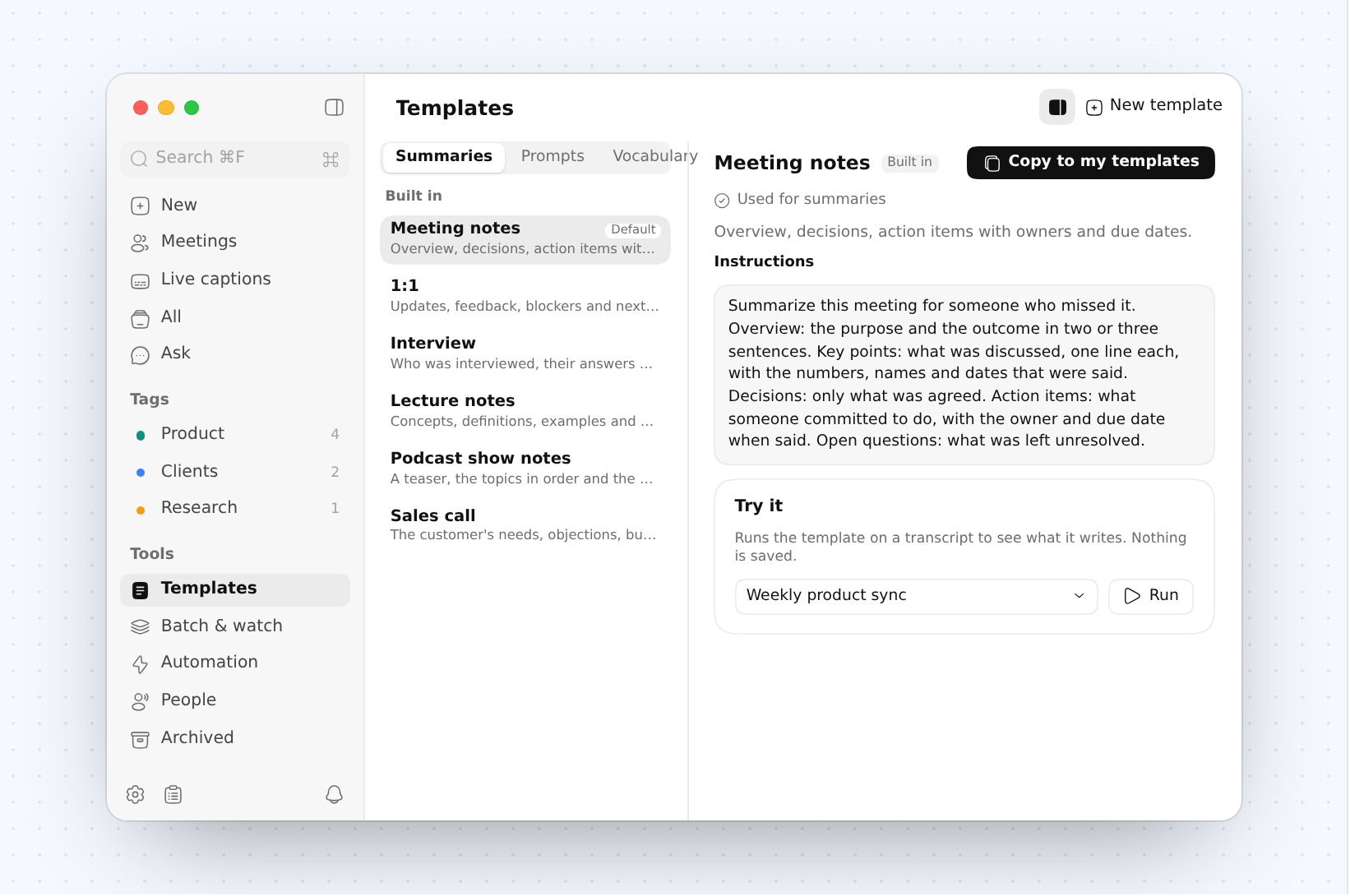
Dicta's summary templates, Meeting notes selected

Dicta's summary templates, Meeting notes selected

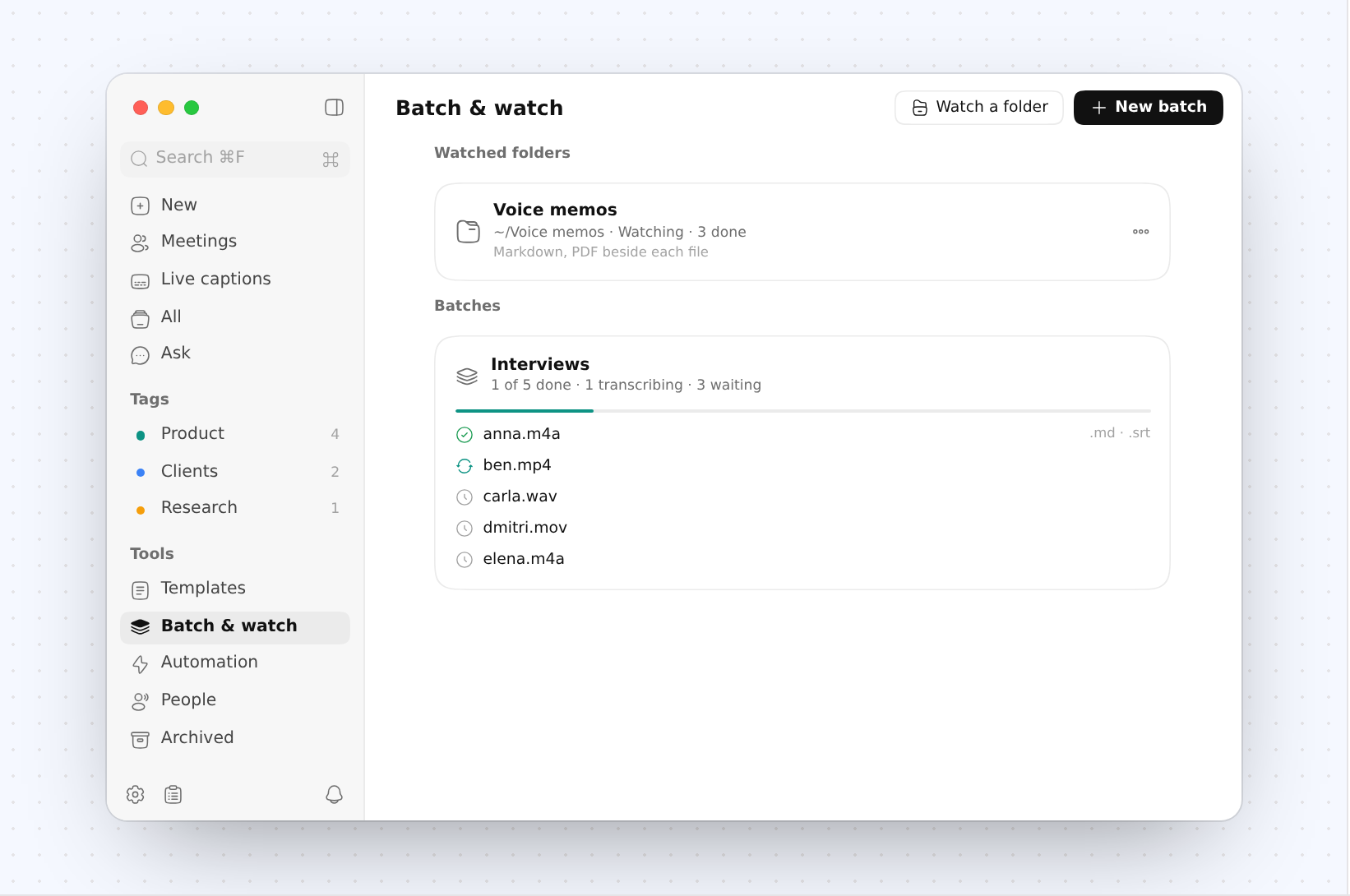
Dicta's Batch & watch: a watched folder and a batch of interviews

Dicta's Batch & watch: a watched folder and a batch of interviews

AudioSmith

Speech · Voices · Dubbing · Open source

Price
Free and open source (AGPL-3.0)
Runs on
macOS 15+ · Apple silicon

One line

A voice studio that runs on your Mac

Short

Text to speech, voices, stories, audiobooks, dubbing and transcripts, all made on your Mac. Free and open source.

Long

AudioSmith turns text into speech, clones and designs voices, gives a story a cast, reads a book into an M4B, dubs a video into another language and transcribes who said what. Every model runs on your Mac's GPU, offline once downloaded.
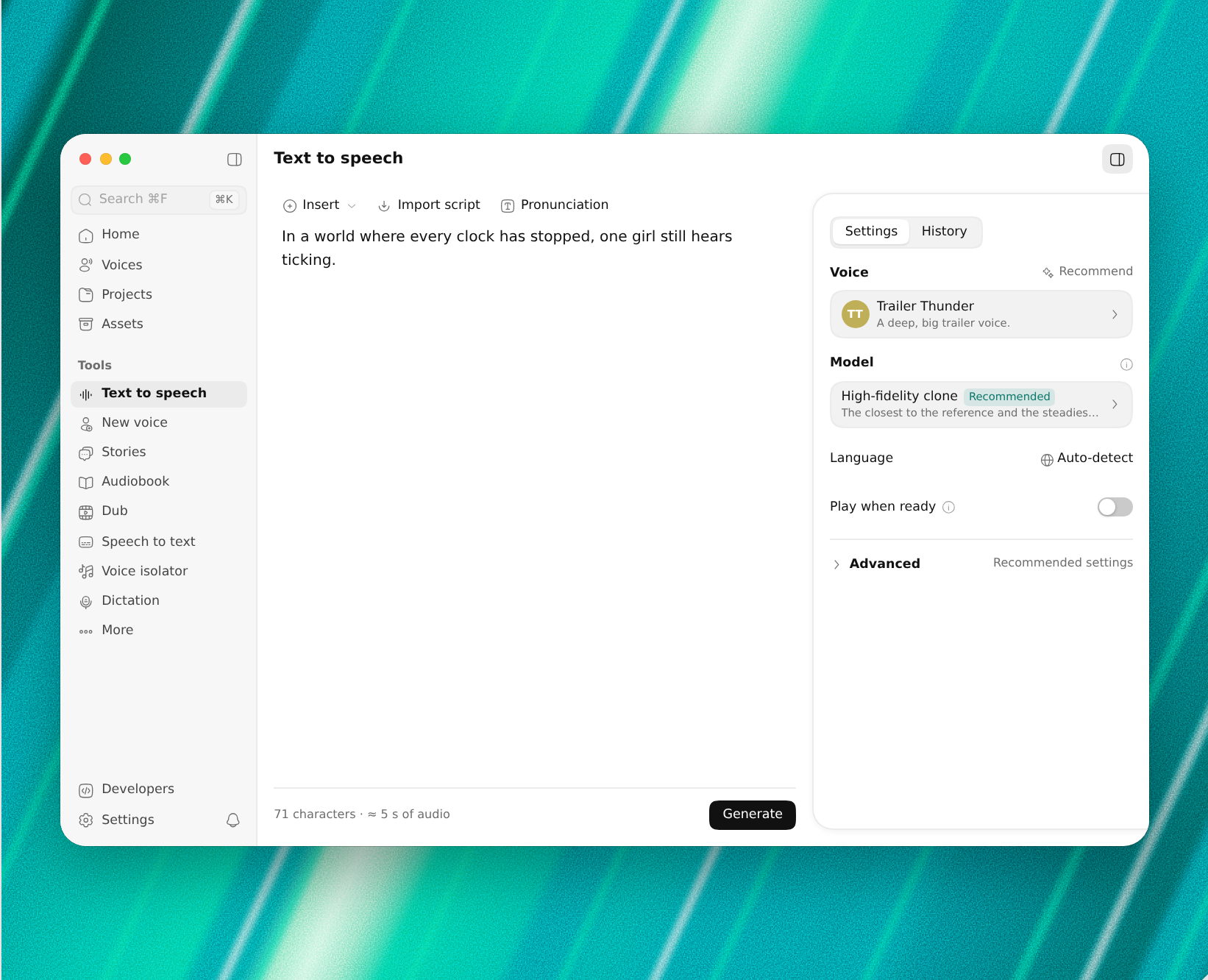
AudioSmith's Text to speech: a line of script, the voice and the model

AudioSmith's Text to speech: a line of script, the voice and the model

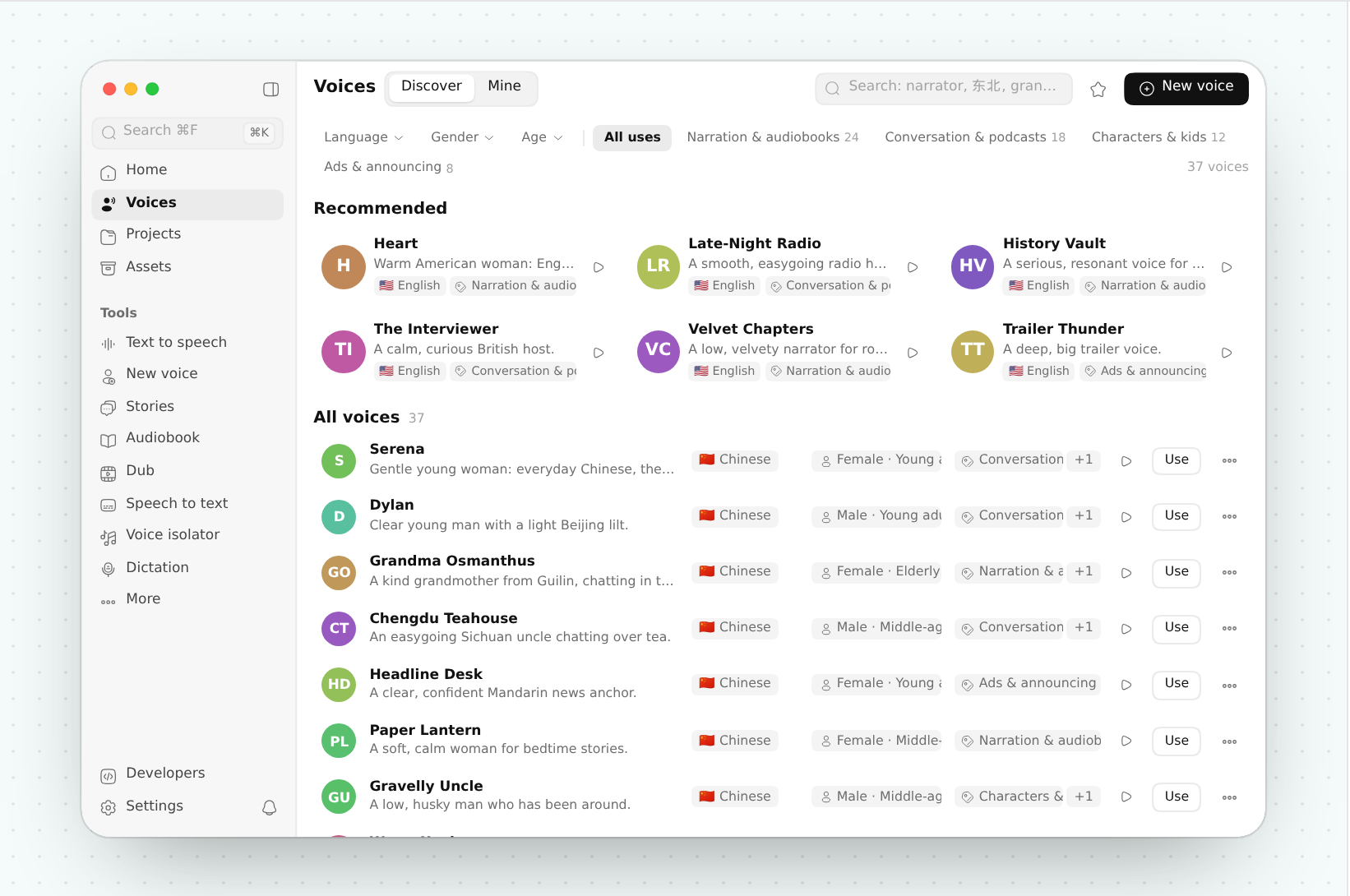
AudioSmith's Voices: recommended voices and the full list

AudioSmith's Voices: recommended voices and the full list

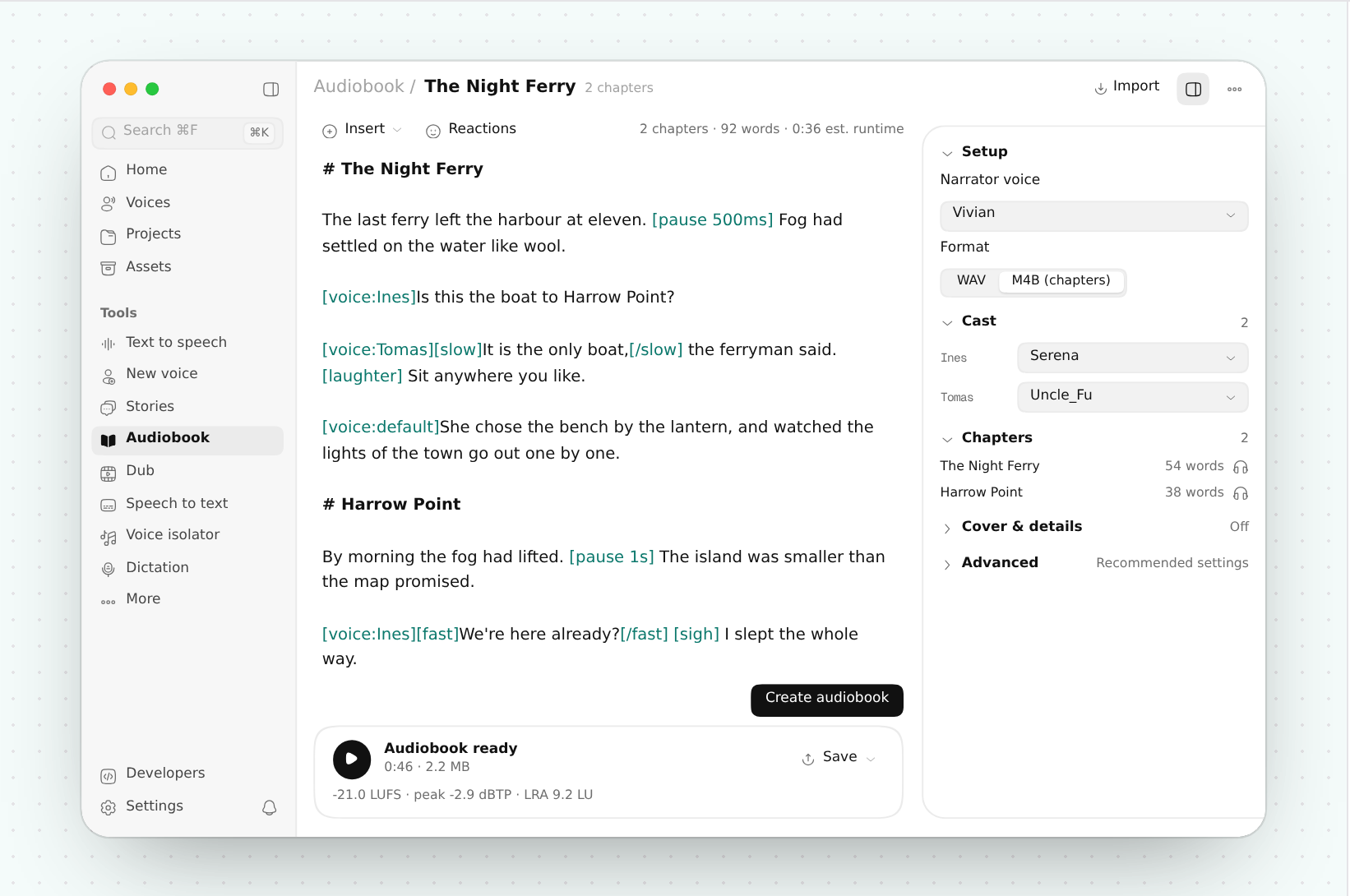
An audiobook in AudioSmith: a chapter with voice tags, its cast and chapters

An audiobook in AudioSmith: a chapter with voice tags, its cast and chapters

VoxtMini

Voice input · Local AI · Open source

Price
Free and open source (Apache-2.0)
Runs on
macOS 15+ · Apple silicon

One line

Voice input on local models, remote by choice

Short

Transcribe, translate and rewrite in any app, with models that run on your Mac unless you pick a service.

Long

VoxtMini is voice input for the Mac: press a shortcut in any app, speak, and the text appears where your cursor is. Local models are the default; a feature uses a remote service only when you choose one for it. English, Chinese and Japanese.

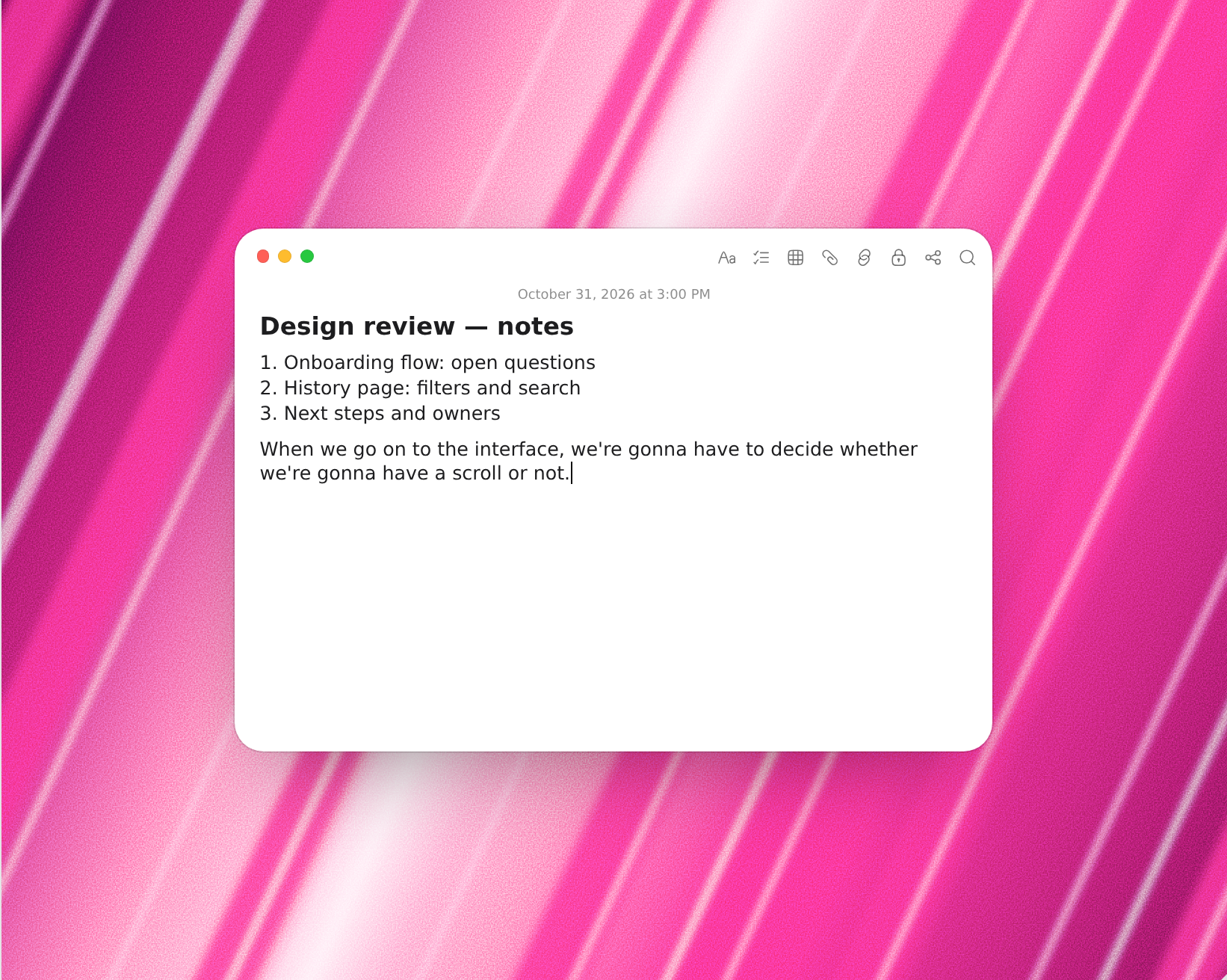
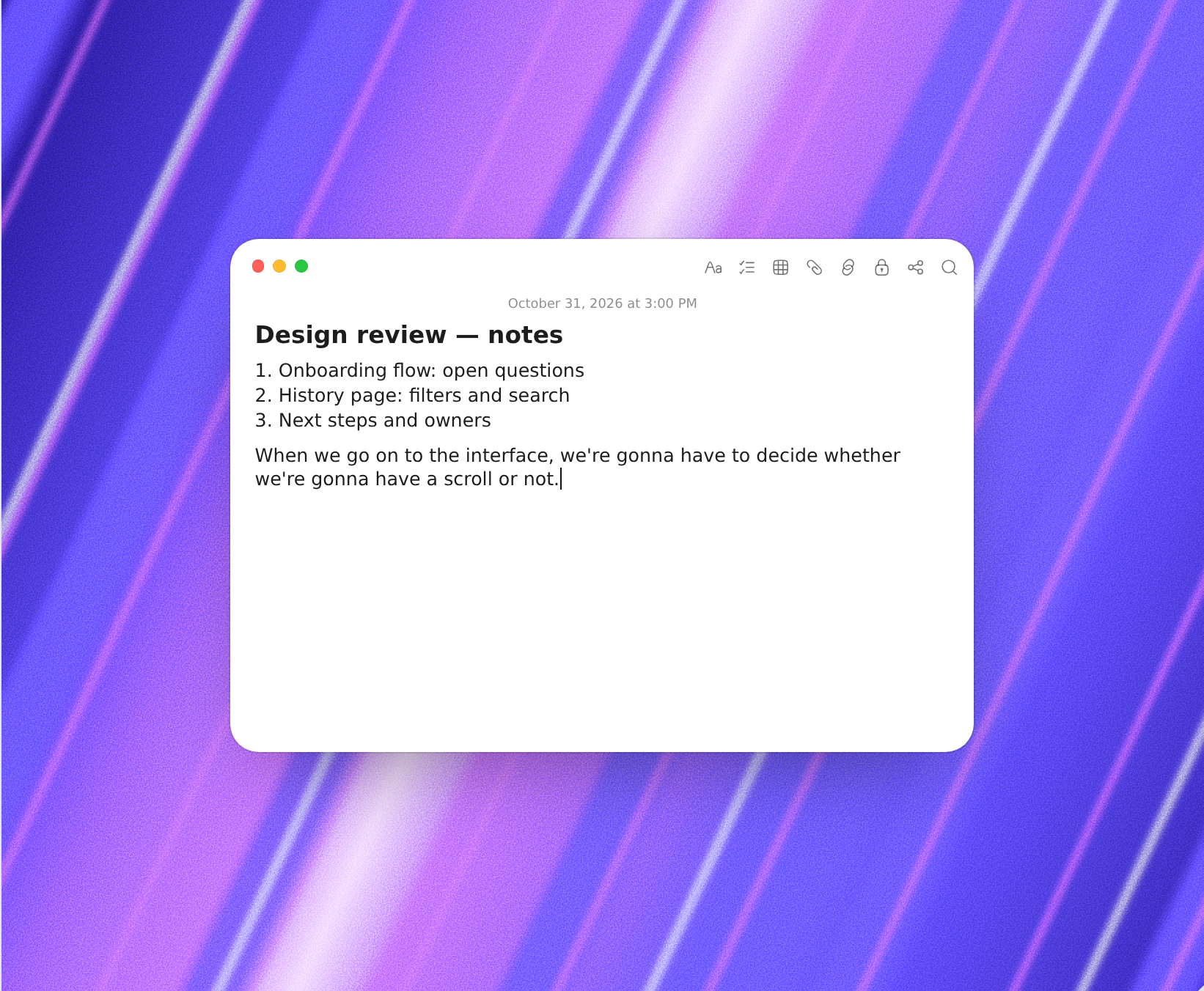
Notes dictated into a document with VoxtMini

Notes dictated into a document with VoxtMini

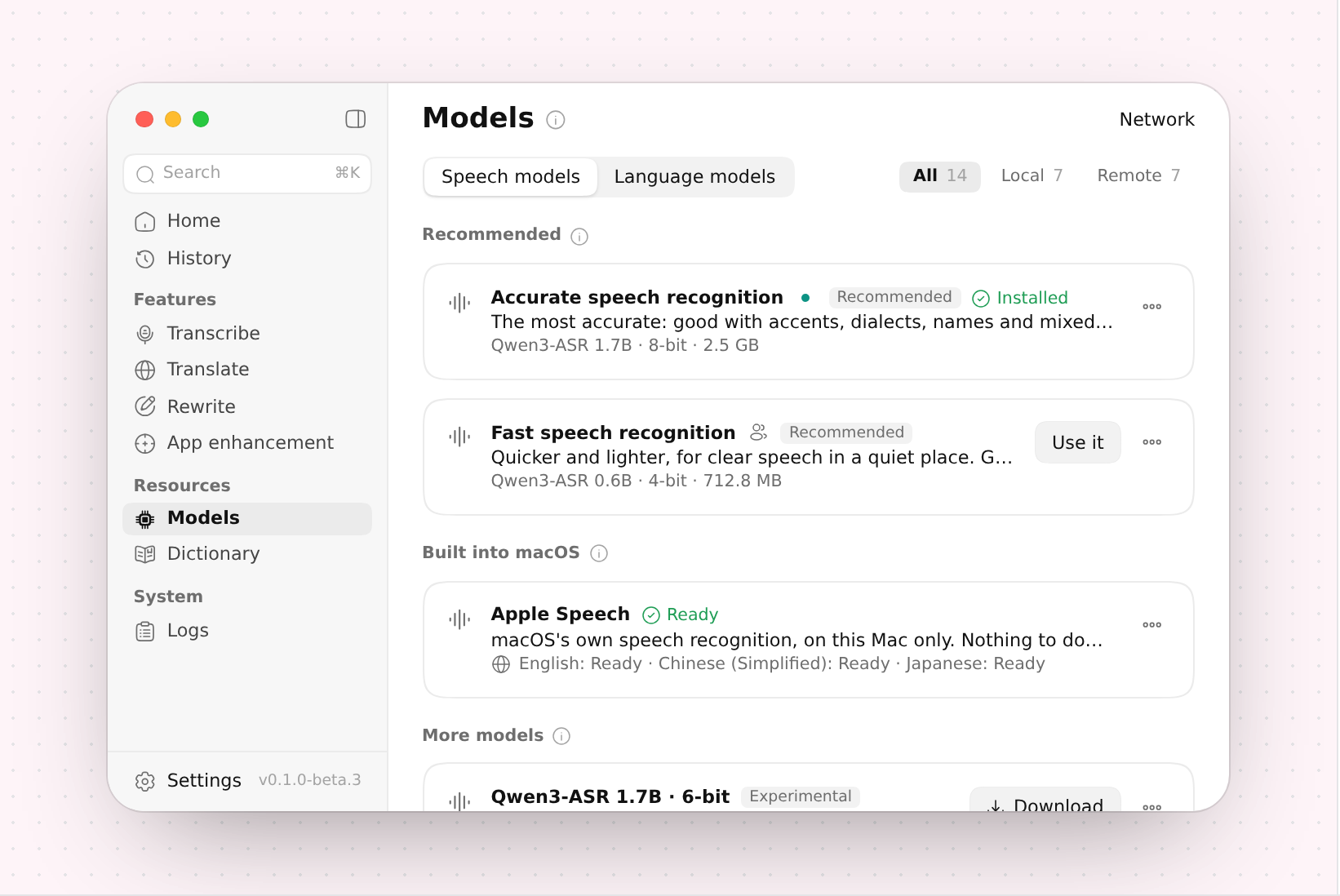
VoxtMini's Models: speech models that run on the Mac

VoxtMini's Models: speech models that run on the Mac

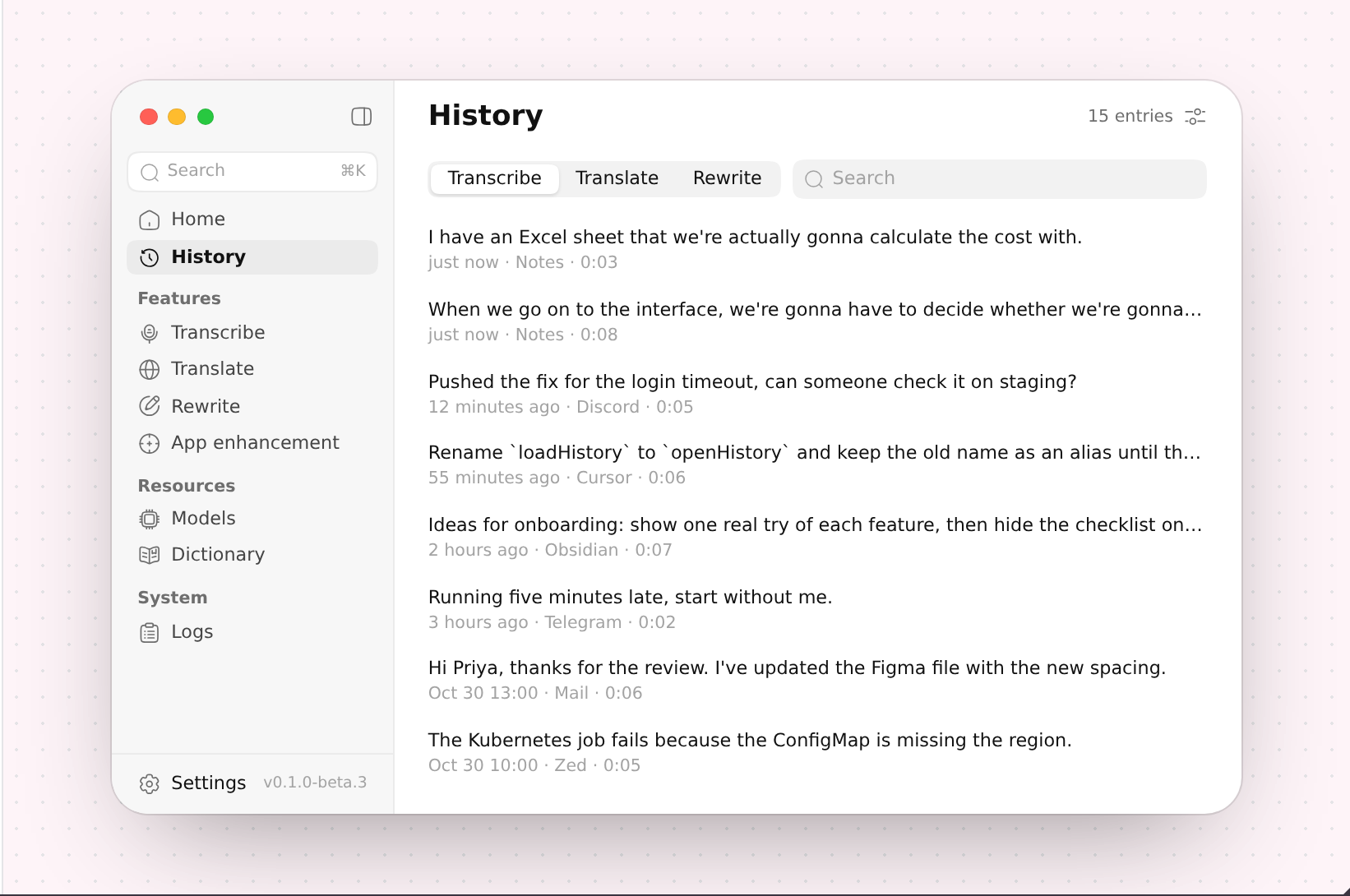
VoxtMini's History of transcriptions, translations and rewrites

VoxtMini's History of transcriptions, translations and rewrites

Company //

About ActNow

About us, in a paragraph · English

ActNow makes native Mac apps: Inboxly (mail), Pik (colour picker), Dicta (meeting notes), Refto (reference library), AudioSmith (voice studio), and VoxtMini and Auralink (voice input). Inboxly, Dicta, Refto, AudioSmith and VoxtMini run their AI models on the Mac itself. AudioSmith, VoxtMini and Auralink are free and open source; the paid apps have a 15-day free trial and are bought once, with no subscription. ActNow is a brand of ActionNow, LLC, at actnow.dev.

About us, in a paragraph · 中文

ActNow 做原生 Mac App:Inboxly(邮件)、Pik(取色器)、Dicta(会议记录)、Refto(素材库)、AudioSmith(语音工作室)、VoxtMini 和 Auralink(语音输入)。Inboxly、Dicta、Refto、AudioSmith、VoxtMini 的 AI 模型在 Mac 本机运行。AudioSmith、VoxtMini、Auralink 免费开源;付费 App 可以免费试用 15 天,之后一次买断,没有订阅。ActNow 是 ActionNow, LLC 的品牌,网站 actnow.dev。

Company
ActionNow, LLC
Brand
ActNow
Website
actnow.dev
Elsewhere
x.com/York_981
Elsewhere
github.com/hehehai